Odoo website builder: what it does, cost and self-hosting
Odotify team · Published · 7 min read
Odoo's website builder gets compared with WordPress, Wix and Shopify, but it is a different kind of tool: it is the front end of an ERP. This guide is for business owners and Odoo administrators deciding whether to build their site in Odoo, and how to host it. You will learn what the builder does, what is really free, what you lose or keep with Odoo Community, and how domains and multiple websites work. It is based on the Odoo 20.0 Website documentation, Odoo's Website feature page and pricing page, and the Odoo 20.0 source code, all read on 28 November 2026.
What is the Odoo website builder?
It is the Odoo Website app: a visual editor where you drag building blocks onto a page and edit text, images and layout in place, inside the same database as the rest of Odoo. A form on a page creates a lead in CRM. A product page reads stock and prices from Inventory and Sales. A visitor who signs in sees their invoices, tickets and projects in the portal. That link to business data is the reason to choose it; as a pure brochure-site tool, it competes with many others.
Odoo's 20.0 documentation groups the app into five areas:
| Area | What it covers |
|---|---|
| Website creation | Build a site with the configurator, or import an existing one |
| Web design | Building blocks, themes, forms, visibility rules |
| Structure | Pages, menus, headers and footers, SEO |
| Configuration | Domain names, Google Search Console, cookies bar, translations, multiple websites, form spam protection, CDN |
| Reporting | Website analytics and link tracking |
What features does the Odoo website builder have?
Odoo's feature page lists design tools, AI helpers, a media manager, traffic tools and developer access. The main ones:
- Design: a configurator that builds a first version from your industry and positioning, drag-and-drop blocks with several layouts each, colour presets, gradients, shapes, on-scroll animations, Google Fonts, and a library of your own saved blocks. Pages adapt to mobile, and you can hide content on mobile.
- Dynamic blocks: blocks that show recommended blog posts, next events or best-selling products.
- AI helpers: generate pages, events and products from a prompt, rewrite or translate text, generate custom blocks, and suggest SEO titles and meta descriptions.
- Media: access to the Unsplash library, automatic image resizing and compression, and image editing on the page.
- Traffic: inline translation with visitor language detection, multiple websites on one database, SEO tools for titles and meta tags, blog articles, visitor-targeted content.
- Visitors: a real-time visitor dashboard, live chat, a form builder that feeds Odoo apps, a forum, helpdesk tickets and the customer portal.
- Developers: HTML, CSS and JavaScript editors in the browser.
Add the eCommerce, Events, Blog, eLearning, Forum or Appointments apps and they publish onto the same site.
Is the Odoo website builder free?
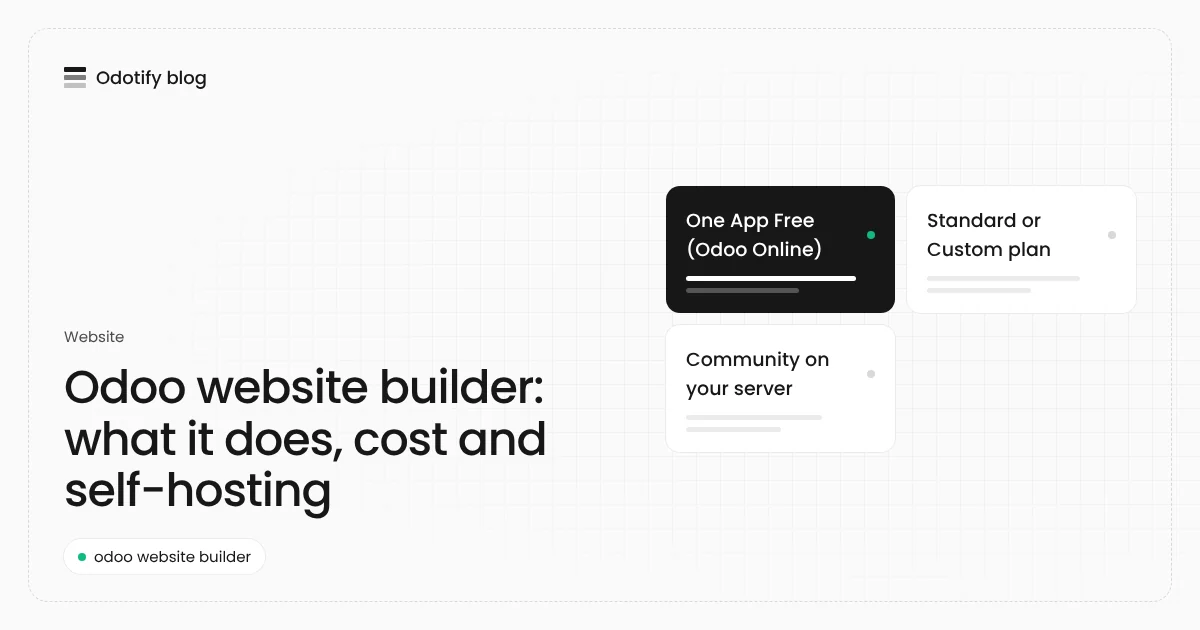
On Odoo Online, yes, as the single app of the One App Free plan: Odoo states the website and its hosting are free forever, without ads or limits. All standard themes are included. As soon as you install a second app, you move to a paid plan: Odoo's pricing page explains that upgrading from One App Free to Standard means installing the additional apps you need. Current per-user prices are in our Odoo pricing guide.
On your own server, the builder is open source. In the Odoo 20.0 source, the website, website_sale (eCommerce) and website_blog modules are licensed LGPL-3, and so are the standard themes in Odoo's design-themes repository (for example theme_nano and theme_clean). That means Odoo Community includes the editor, the shop and the blog at no licence cost. You pay for the server and your own time, or for a host. See Is Odoo open source? for what the licences allow.
Some features call Odoo's own online services, such as the AI helpers. Check which ones you rely on before moving a site from Odoo Online to a self-hosted Community database, and test on a staging copy.
How do custom domains work with an Odoo website?
On Odoo Online you can register one free domain for the first year, or connect a domain you own; on your own server you point your domain at the server and set it in the Website settings.
The free domain offer on Odoo Online, as Odoo documents it:
- Free for the first year, registered through the database manager; after that, the domain is renewed at the rate of Gandi.net, the registrar Odoo partners with, and Odoo emails a renewal quotation each year.
- One domain per client, only for a new registration, available on One App Free plans.
- Odoo reviews requests and asks that the site has enough original content; review can take several days.
- The free domain does not include a mailbox. You add MX records for an external email provider, or route a subdomain to Odoo.
Wherever Odoo runs, two settings decide which address search engines and customers see:
- The website domain. In Website, Configuration, Settings, enter the full URL (for example
https://www.yourdomain.com) in the Domain field. Odoo warns that this stops Google from indexing the original address, and that old results can take time to drop. - The web base URL. It sets the address used in every link Odoo sends, such as quotations and portal links. It updates when an administrator signs in through that address. To pin it, add the system parameter
web.base.url.freezeset toTrue, or setweb.base.urlyourself, withhttps://and no trailing slash.
Can you run several websites in one Odoo database?
Yes. Odoo supports multiple websites per database, each on its own domain or subdomain. Each website needs its own address. Most settings are per website and new websites start with default settings, not a copy of the first one. Products, eCommerce categories, pricelists, discounts and payment providers can be limited to one website, prices can differ per website through pricelists, and Shared Customer Accounts lets customers use one login on all sites. This is a common setup for groups with several brands.
Steps to host an Odoo website on your own server
- Pick a server with enough memory for Odoo and PostgreSQL; our server requirements guide gives sizes.
- Install Odoo 20 (or 17 to 19) Community or Enterprise, behind a reverse proxy with TLS; see Odoo with Nginx.
- Create the database and install the Website app, then pick a theme in the configurator.
- Point your domain's DNS (an A record, or a CNAME for
www) at the server and get a certificate. - In Website, Configuration, Settings, enter your domain in the Domain field.
- Sign in once through the new address as an administrator, or set
web.base.urlandweb.base.url.freeze, so emails link to the right domain. - Connect Google Search Console from the website settings and submit the sitemap.
- Set up scheduled backups of the database and filestore, because product images and page media live in the filestore.
Odoo website builder vs WordPress
Choose Odoo's builder when the site is part of your sales and service process; choose WordPress when the site is mostly content and Odoo is not your ERP. Odoo gives you forms that create CRM leads, a shop that shares stock and prices with the warehouse, and a portal with invoices and tickets, without connectors. WordPress gives you a larger theme and plugin market and many more developers who know it. If you run Odoo already, a WordPress shop needs an integration to keep orders and stock in sync; see Odoo integrations.
Where Odotify fits
Odotify installs Odoo 17, 18, 19 or 20, Community or Enterprise, on servers you own, at Hetzner, DigitalOcean, AWS, Google Cloud, Azure, Vultr, Akamai or any Linux host. Each instance gets HTTPS, and custom domains with automatic TLS are included on every plan, so pointing www.yourdomain.com at an Odoo website is a DNS record and one field in the dashboard. Paid plans add a firewall in front of Odoo with logs and auto-bans, which matters once a public website and its forms are online. The Free plan runs one instance; prices for the rest are on the pricing page.
FAQ
Is the Odoo website builder free?
Yes on Odoo Online when Website is the single app of the One App Free plan, including hosting. On your own server, the Website, eCommerce and Blog modules are LGPL in Odoo Community, so there is no licence fee.
Is the Odoo website builder open source?
Yes. In Odoo 20.0 the website, website_sale and website_blog modules and the standard themes are licensed LGPL-3 and are part of Odoo Community.
Can I use my own domain with an Odoo website?
Yes. Point the domain's DNS at Odoo, then enter the full URL in Website, Configuration, Settings, Domain. On Odoo Online you can also register one free domain for the first year.
Can one Odoo database run several websites?
Yes. Each website needs its own domain or subdomain. Products, pricelists and payment providers can be restricted per website, and customers can share one account across sites.
Is Odoo good for SEO?
It has the basics: editable titles and meta descriptions, a sitemap, Google Search Console connection, translations and AI suggestions for meta tags. Page speed then depends on your hosting and image sizes.
Is Odoo better than WordPress for a website?
It is better when the site feeds Odoo's CRM, shop and portal directly. WordPress is better for content-heavy sites with no ERP behind them, thanks to its larger plugin and theme market.
Sources
- Odoo 20.0 documentation, Website (read 28 November 2026): https://www.odoo.com/documentation/20.0/applications/websites/website.html
- Odoo 20.0 documentation, Domain names (read 28 November 2026): https://www.odoo.com/documentation/20.0/applications/websites/website/configuration/domain_names.html
- Odoo 20.0 documentation, Multiple websites (read 28 November 2026): https://www.odoo.com/documentation/20.0/applications/websites/website/configuration/multi_website.html
- Odoo, Website features page (read 28 November 2026): https://www.odoo.com/app/website-features
- Odoo pricing page and FAQ (read 28 November 2026): https://www.odoo.com/pricing
- Odoo 20.0 source, website module manifest (LGPL-3): https://github.com/odoo/odoo/blob/20.0/addons/website/__manifest__.py
- Odoo design-themes 20.0, theme_nano manifest (LGPL-3): https://github.com/odoo/design-themes/blob/20.0/theme_nano/__manifest__.py

Odotify team
Odotify hosts Odoo on servers its customers own. This article was researched against live search results and the Odotify codebase.