Odoo server requirements: CPU, RAM, disk and OS in 2026
Odotify team · Published · 6 min read
Before you buy a server for Odoo, you need four answers: which operating system, which PostgreSQL and Python versions, how much CPU and memory for your number of users, and how much disk. This guide gives each one for Odoo 17, 18, 19 and 20, with the numbers taken from Odoo's source code and documentation (checked 19 November 2026), not guessed.
What are the minimum requirements for Odoo?
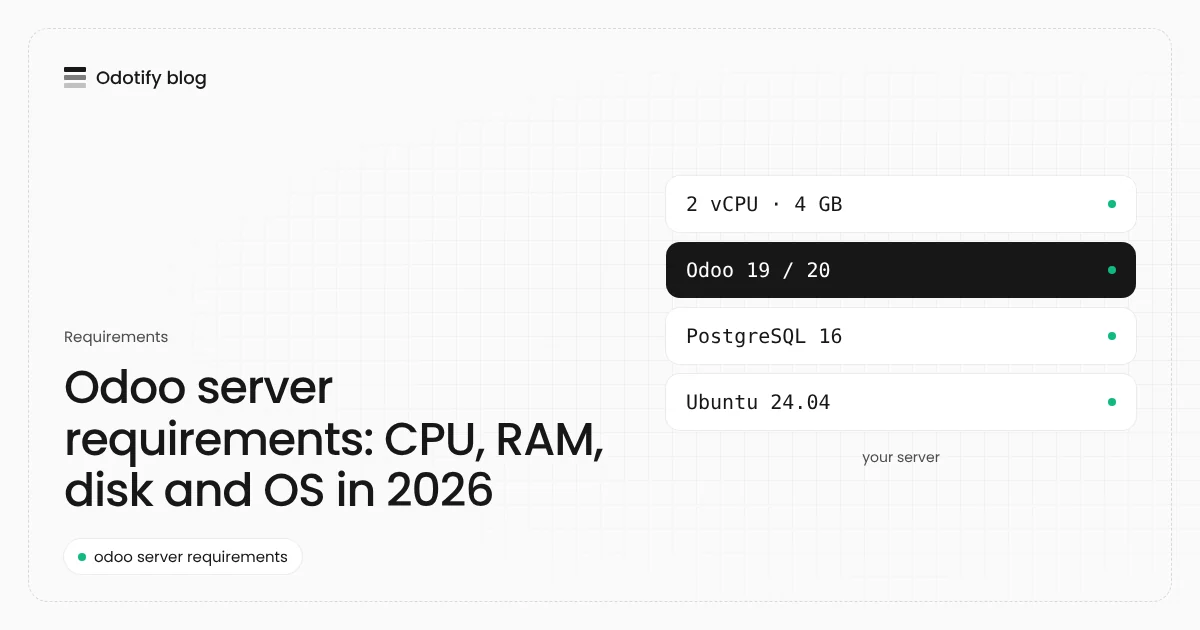
For a small company: a 64-bit Linux server with 2 vCPU, 4 GB of RAM and 40 GB of SSD, running Ubuntu 24.04 or Debian 13 with PostgreSQL 16 or newer. That covers Odoo 17 to 20 and leaves room to grow.
The hard limits are software versions, not hardware. Odoo starts on a 1 vCPU, 2 GB machine, but it will be slow as soon as a few people print reports at once.
Software requirements per Odoo version
Each Odoo version checks Python at start-up and refuses an older PostgreSQL. The values below come from release.py (Odoo 19 and 20) and __init__.py plus the installation documentation (Odoo 17 and 18):
| Odoo version | Python | PostgreSQL | Good Linux choice |
|---|---|---|---|
| Odoo 17 | 3.10 or newer | 12 or newer | Ubuntu 22.04 or 24.04, Debian 12 |
| Odoo 18 | 3.10 or newer | 12 or newer | Ubuntu 24.04, Debian 12 or 13 |
| Odoo 19 | 3.10 to 3.14 | 13 or newer | Ubuntu 24.04, Debian 13 |
| Odoo 20 | 3.12 to 3.14 | 16 or newer | Ubuntu 24.04 or 26.04, Debian 13 |
And what each Linux release ships, from the Ubuntu and Debian package pages:
| Linux release | PostgreSQL | Python | Runs Odoo 20? |
|---|---|---|---|
| Ubuntu 22.04 | 14 | 3.10 | No |
| Ubuntu 24.04 | 16 | 3.12 | Yes |
| Ubuntu 26.04 | 18 | 3.14 | Yes |
| Debian 12 | 15 | 3.11 | No |
| Debian 13 | 17 | 3.13 | Yes |
The practical rule for a new server in 2026: Ubuntu 24.04 or Debian 13. Both run every supported Odoo version, so you can upgrade to Odoo 20 later without moving servers. Odoo's documentation lists Ubuntu 24.04 as the system its Odoo 19 Debian package supports.
Can Odoo run on Windows?
Odoo publishes a Windows installer, but its documentation says it is meant for testing or single-user local instances and discourages Windows for production. The multi-processing server, which production needs, only exists on Linux. Run Linux, in a virtual machine if your office has only Windows servers.
What else does the server need?
- wkhtmltopdf 0.12.6 with patched Qt for PDF reports with headers and footers (not the version in Ubuntu's archive).
- A reverse proxy such as nginx, with a TLS certificate, in front of Odoo's ports 8069 and 8072.
- Outgoing e-mail: an SMTP service such as Mailgun, Postmark or Amazon SES, since some cloud providers block port 25 by default.
How much CPU and RAM does Odoo need?
CPU decides how many people can work at once, RAM decides how many workers you can run. Odoo's deployment documentation gives two rules:
- One worker serves about 6 concurrent users.
- Use at most (CPU × 2) + 1 workers.
And for memory, it assumes 80% light requests at about 150 MB and 20% heavy ones at about 1 GB, so about 325 MB per worker on average. PostgreSQL, the operating system and the file cache need memory on top.
Applied to common server sizes, with Odoo and PostgreSQL on the same machine:
| Concurrent users | vCPU | RAM | Workers (HTTP + cron) | Disk to start |
|---|---|---|---|---|
| Up to 10 | 1 to 2 | 2 to 4 GB | 2 + 1 | 40 GB SSD |
| 10 to 25 | 2 | 4 GB | 4 + 1 | 40 to 80 GB SSD |
| 25 to 50 | 4 | 8 GB | 8 + 1 | 80 to 160 GB SSD |
| 50 to 100 | 8 | 16 GB | 15 + 2 | 160 GB or more |
| 100 or more | 16, or split | 32 GB | 30 + 2 | Separate database server |
"Concurrent" means active at the same moment, which is far fewer than named users. A 40-user company is often in the second or third row. The Odoo workers guide explains how to set and measure these numbers.
When should the database get its own server?
Odoo's documentation describes running PostgreSQL on a separate server reached over the network. Split when one machine is no longer enough: PostgreSQL and Odoo then stop competing for memory, and you can size each on its own. Below roughly 50 concurrent users, one well-sized server is simpler and fast enough. A managed PostgreSQL service is another option when you need automatic failover.
How much disk space does Odoo need?
Odoo stores data in two places, and both grow:
- The PostgreSQL database: records such as invoices, products, stock moves and messages.
- The filestore (
/var/lib/odoo/filestorewith the official package): every attachment, PDF, image and imported file. For document-heavy companies it usually grows faster than the database.
Plan for:
- the operating system and Odoo (a few GB);
- the database and filestore today, plus a year of growth;
- free space for at least one full local backup, since
pg_dumpand a filestore archive need room before they are copied off the server.
Use SSD or NVMe storage. PostgreSQL waits on disk for every write, and a slow disk makes all of Odoo feel slow. Then keep backups off the server, in object storage; our Odoo backup guide shows how.
Network and security requirements
- Open to the internet: ports 80 and 443 for the web, and 22 for SSH (better: SSH only from your own address).
- Closed to the internet: 8069, 8072 and PostgreSQL's 5432. Only the proxy should reach Odoo.
- A domain name for HTTPS, such as
erp.example.com. - Database manager locked: a strong
admin_passwdandlist_db = Falseinodoo.conf.
What do users need on their side?
Odoo runs in the web browser, so users need a current browser on any computer, tablet or phone. Odoo Enterprise also has mobile apps for iOS and Android; Community users use the browser on their phone. Point of sale hardware (receipt printers, scanners, payment terminals) is a separate topic covered by Odoo's documentation for the Point of Sale app.
Steps to choose an Odoo server
- Pick the Odoo version you will run, and from it the minimum PostgreSQL (16 for Odoo 20).
- Pick the Linux release that ships that PostgreSQL: Ubuntu 24.04 or Debian 13.
- Estimate concurrent users in your busiest hour.
- Choose CPU and RAM from the table above.
- Choose disk for today's data, a year of growth and one local backup.
- Choose the location near your users and where your data must stay: EU, US or elsewhere.
- Plan backups and monitoring before the first user logs in.
Where to run it
Any Linux server you can reach over SSH works: a cloud server at Hetzner, DigitalOcean, AWS, Google Cloud, Azure, Vultr or Akamai, a dedicated server, or a machine in your office. Our self-hosted Odoo guide compares the ways to install it, and the install guide for Ubuntu 24.04 has the commands.
Odotify can create the server for you at those providers, or connect one you already have with Ubuntu 22.04, 24.04 or 26.04, or Debian 12 or 13. It then installs Odoo 17, 18, 19 or 20 per instance, refuses to put Odoo 20 on a server whose PostgreSQL is older than 16, and adds TLS, a firewall, backups and monitoring, for a flat fee from $0. See pricing.
FAQ
What are the hardware requirements for Odoo?
A 64-bit server with at least 2 vCPU, 4 GB of RAM and 40 GB of SSD for a small company. Add one CPU core for about every 12 concurrent users and about 325 MB of RAM per Odoo worker, following Odoo's sizing rules.
Does Odoo 20 run on Ubuntu 22.04?
No. Odoo 20 needs PostgreSQL 16 or newer and Python 3.12 or newer. Ubuntu 22.04 ships PostgreSQL 14 and Python 3.10. Use Ubuntu 24.04, Ubuntu 26.04 or Debian 13.
How much RAM does Odoo need for 50 users?
For 50 concurrent users, plan 4 to 8 vCPU and 8 to 16 GB of RAM: about 8 to 9 workers at roughly 325 MB each for Odoo, plus memory for PostgreSQL and the system. For 50 named users who are not all active at once, 4 vCPU and 8 GB is usually enough.
Which PostgreSQL version does Odoo 19 need?
PostgreSQL 13 or newer, according to Odoo 19's release.py. Use PostgreSQL 16 or newer anyway, so the same database server also works for Odoo 20.
Can I run several Odoo databases on one server?
Yes. One Odoo server can serve several databases, and you can also run several Odoo instances side by side. Size CPU and RAM for the total number of concurrent users across all of them.
Sources
- Odoo source, version requirements: https://raw.githubusercontent.com/odoo/odoo/19.0/odoo/release.py, https://raw.githubusercontent.com/odoo/odoo/20.0/odoo/release.py, https://raw.githubusercontent.com/odoo/odoo/18.0/odoo/__init__.py, https://raw.githubusercontent.com/odoo/odoo/17.0/odoo/__init__.py
- Odoo 17 and 18 documentation, source install (PostgreSQL 12 or above): https://raw.githubusercontent.com/odoo/documentation/18.0/content/administration/on_premise/source.rst
- Odoo 19 documentation, deployment (workers, memory, database server): https://raw.githubusercontent.com/odoo/documentation/19.0/content/administration/on_premise/deploy.rst
- Odoo 19 documentation, packaged installers (Ubuntu 24.04, Windows): https://raw.githubusercontent.com/odoo/documentation/19.0/content/administration/on_premise/packages.rst
- Ubuntu packages: https://packages.ubuntu.com/jammy/postgresql, https://packages.ubuntu.com/noble/postgresql, https://packages.ubuntu.com/resolute/postgresql, https://packages.ubuntu.com/resolute/python3
- Debian packages: https://packages.debian.org/bookworm/postgresql, https://packages.debian.org/trixie/postgresql

Odotify team
Odotify hosts Odoo on servers its customers own. This article was researched against live search results and the Odotify codebase.