Odoo workers configuration: how many workers and how much RAM
Odotify team · Published · 7 min read
The workers line in odoo.conf decides how many people can use Odoo at the same time, how much memory the server needs and whether chat and notifications work. It is easy to get wrong in both directions: left at 0, or set far above what the CPU and memory can carry. This guide gives the rules from Odoo's own documentation, the defaults from Odoo 19's source code, and a sizing table you can copy.
What are Odoo workers?
A worker is a separate Odoo process that serves web requests. With workers = 0 (the default, also in Docker images), Odoo runs one process with a thread per request. Odoo's documentation calls this mode "primarily used for development": because of Python's global interpreter lock, one process cannot use more than one CPU core well.
With workers set to a number above 0, Odoo switches to multi-processing:
- a pool of HTTP workers starts with the server, and requests wait in a queue until one is free;
- one extra gevent worker handles websocket connections (live chat, Discuss, notifications) on port 8072;
- separate cron workers run scheduled actions,
max_cron_threadsof them (default 2); - a supervisor kills and restarts any worker that crosses its memory or time limits.
Multi-processing only exists on Linux. Odoo on Windows always runs threaded.
How many workers does Odoo need?
Use the smaller of two numbers: your concurrent users divided by 6, and (CPU cores × 2) + 1. Both rules come from Odoo's deployment documentation:
- Rule of thumb for the maximum: (number of CPU × 2) + 1.
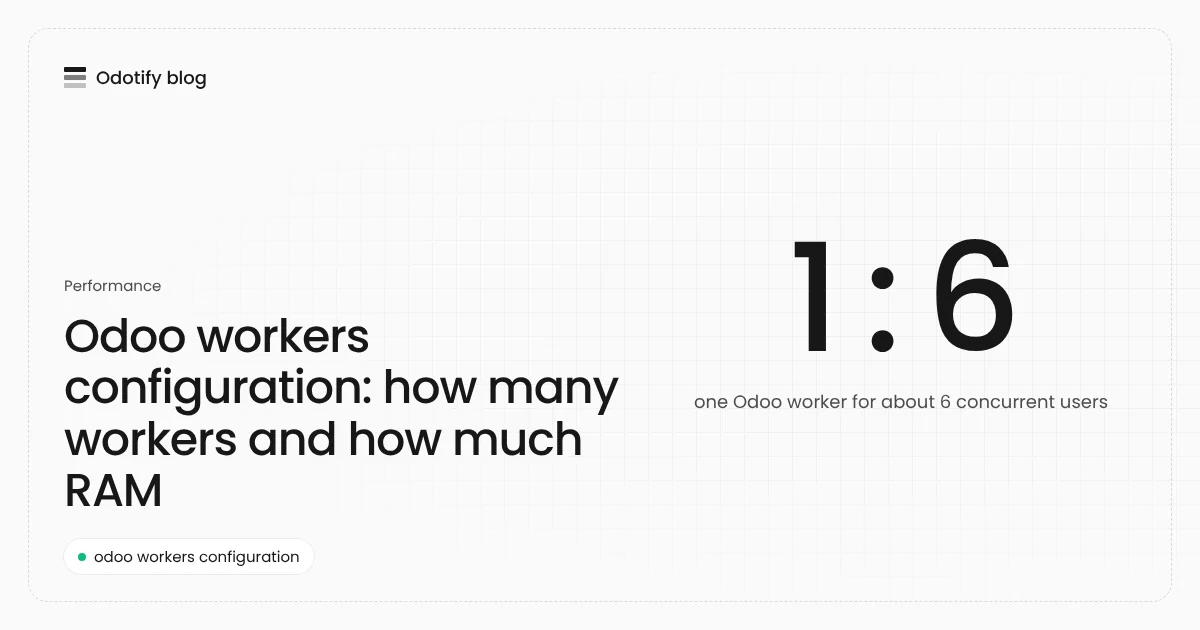
- Demand: 1 worker serves about 6 concurrent users.
- Cron workers need CPU too, so count them when you approach the maximum.
"Concurrent" means people clicking at the same moment, not people with an account. A company with 40 Odoo users rarely has more than 10 to 15 of them active in the same second.
Odoo's own worked example: a server with 4 CPU and 8 threads, 60 concurrent users. Demand is 60 / 6 = 10 workers, the CPU maximum is (4 × 2) + 1 = 9. Odoo picks 8 HTTP workers and 1 cron worker, then watches the CPU load.
How much RAM does each Odoo worker use?
Odoo's documentation estimates:
- 80% of requests are light, and a light worker uses about 150 MB;
- 20% are heavy (reports, imports, big lists), and a heavy worker uses about 1 GB.
That gives an average of (0.8 × 150) + (0.2 × 1024) = about 325 MB per worker. Multiply by all workers, cron included:
Needed RAM = workers × ((0.8 × 150 MB) + (0.2 × 1024 MB))
For Odoo's 9-worker example, that is about 3 GB for Odoo alone. Add memory for PostgreSQL, the operating system and the file cache. On a single server we keep at least as much memory for PostgreSQL as for Odoo.
These figures assume well-written modules. A custom module that loads thousands of records into memory can make every request heavy; then measure instead of estimating.
Odoo worker sizing table
Worked out with Odoo's two rules and the 325 MB average, for one server running Odoo and PostgreSQL together:
| Server | HTTP workers | Cron workers | Concurrent users (about) | RAM for Odoo | Total RAM to plan |
|---|---|---|---|---|---|
| 1 vCPU, 2 GB | 2 | 1 | 10 | 1 GB | 2 GB |
| 2 vCPU, 4 GB | 4 | 1 | 20 to 25 | 1.6 GB | 4 GB |
| 4 vCPU, 8 GB | 8 | 1 | 45 to 50 | 2.9 GB | 8 GB |
| 8 vCPU, 16 GB | 15 | 2 | 90 | 5.5 GB | 16 GB |
| 16 vCPU, 32 GB | 30 | 2 | 150 to 180 | 10.4 GB | 32 GB |
Start from the row that matches your server, then adjust with real measurements (see below). Our Odoo server requirements guide covers disk, PostgreSQL versions and when to split the database onto its own server.
Odoo worker limits: memory and time
Each worker is watched by limits. These are the defaults in Odoo 19's source (odoo/tools/config.py) next to the values in Odoo's own production sample:
| Option | What it does | Default in Odoo 19 | Odoo's production sample |
|---|---|---|---|
limit_memory_soft | Worker is recycled after the current request when it uses more virtual memory than this | 2048 MiB | 600 MiB (629145600) |
limit_memory_hard | Worker is killed immediately above this | 2560 MiB | 1600 MiB (1677721600) |
limit_time_cpu | CPU seconds one request may use | 60 | 600 |
limit_time_real | Wall-clock seconds one request may take, SQL included | 120 | 1200 |
limit_request | Requests a worker serves before it is recycled | 65536 | 8192 |
max_cron_threads | Cron workers, in addition to HTTP workers | 2 | 1 |
The lower memory limits in Odoo's sample keep a single runaway report from eating the server's memory: the worker is recycled and the next request gets a fresh process. The longer time limits let long reports and imports finish instead of failing with a timeout. If a big export or report fails after about two minutes, limit_time_real (120 seconds by default) is the line to raise.
Example odoo.conf for 4 vCPU and 8 GB
[options]
workers = 8
max_cron_threads = 1
limit_memory_soft = 629145600
limit_memory_hard = 1677721600
limit_time_cpu = 600
limit_time_real = 1200
limit_request = 8192
proxy_mode = True
Restart Odoo after the change (sudo systemctl restart odoo with the official package) and check the log: Odoo prints one line per worker it starts.
Why does chat stop working when I enable workers?
Because websocket traffic moves to port 8072. In multi-processing mode, Odoo serves /websocket from the dedicated gevent worker on port 8072, while normal requests stay on 8069. Your reverse proxy must send /websocket to 8072, with the Upgrade and Connection headers, and Odoo must run with proxy_mode = True. Without that, the page loads but Discuss, live chat and notifications stop updating. Our install guide for Ubuntu has a complete nginx block.
Steps to configure Odoo workers
- Count CPU cores with
nprocand memory withfree -g. - Estimate concurrent users: count the people working in Odoo at the same moment in your busiest hour, not the number of accounts.
- Compute workers: the smaller of users / 6 and (cores × 2) + 1, minus the cron workers if you are at the maximum.
- Check memory: workers × 325 MB for Odoo, then leave at least the same for PostgreSQL and the system.
- Set the limits from Odoo's production sample.
- Route
/websocketto port 8072 in your proxy and turn onproxy_mode. - Restart and measure for a week: CPU load, memory, and slow requests in the log.
How do you know if you have the right number of workers?
Watch three signals:
- CPU load. Odoo's example targets a load average close to, but under, the number of threads (7 to 7.5 on an 8-thread server). Load always above that means too many workers for the CPU, or slow SQL.
- Memory. Swap in use means too many workers or limits set too high. Lower workers before adding swap.
- Waiting requests. If pages are slow while CPU is low, requests are queuing: add workers if memory allows.
Slow pages with low CPU and enough workers usually point at PostgreSQL: missing indexes or long queries, not worker count. Each worker also opens its own PostgreSQL connections (up to db_maxconn, 64 by default in Odoo 19), so on large servers check that PostgreSQL's max_connections leaves room.
Workers on managed platforms
On Odoo.sh, workers are what you pay for; see our Odoo.sh pricing breakdown. On your own server they cost nothing extra: the limit is CPU and memory. Odotify writes each instance's odoo.conf with multi-processing on (2 HTTP workers and 1 cron worker per instance), memory and time limits, proxy_mode and its own websocket port routed through the proxy, and shows CPU and memory history per server so you can see when it is time to resize. It runs on your own server for a flat fee from $0; see pricing.
FAQ
What is the default number of workers in Odoo?
Zero. With workers = 0, Odoo runs a single multi-threaded process, which Odoo describes as meant mainly for development and demos. Set a number above zero for production on Linux.
What does max_cron_threads do in Odoo?
It sets how many scheduled-action workers run, in addition to the HTTP workers. The default is 2. One is enough for most small servers; raise it if many scheduled actions queue up, such as e-mail fetching, bank synchronisation or recurring invoices.
How many users can one Odoo worker handle?
About 6 concurrent users, according to Odoo's documentation. Concurrent means active at the same moment, so one worker usually covers more than 6 named users.
Can I set more workers than (CPU × 2) + 1?
You can, but it rarely helps. Extra workers compete for the same cores and memory, and the server slows down for everyone. Add CPU, or fix slow queries, before adding workers beyond the rule.
Do Odoo workers work in Docker?
Yes. Set workers in the odoo.conf you mount into the container, publish or proxy port 8072 next to 8069, and give the container enough memory for all workers. The official image starts in threaded mode until you do. See our Odoo Docker guide.
Sources
- Odoo 19 documentation, builtin server, worker and memory calculation, configuration sample: https://raw.githubusercontent.com/odoo/documentation/19.0/content/administration/on_premise/deploy.rst
- Odoo 19 documentation, command-line options: https://raw.githubusercontent.com/odoo/documentation/19.0/content/developer/reference/cli.rst
- Odoo 19 source, option defaults: https://raw.githubusercontent.com/odoo/odoo/19.0/odoo/tools/config.py

Odotify team
Odotify hosts Odoo on servers its customers own. This article was researched against live search results and the Odotify codebase.