Odoo Community vs Enterprise
Community or Enterprise: which Odoo do you need?
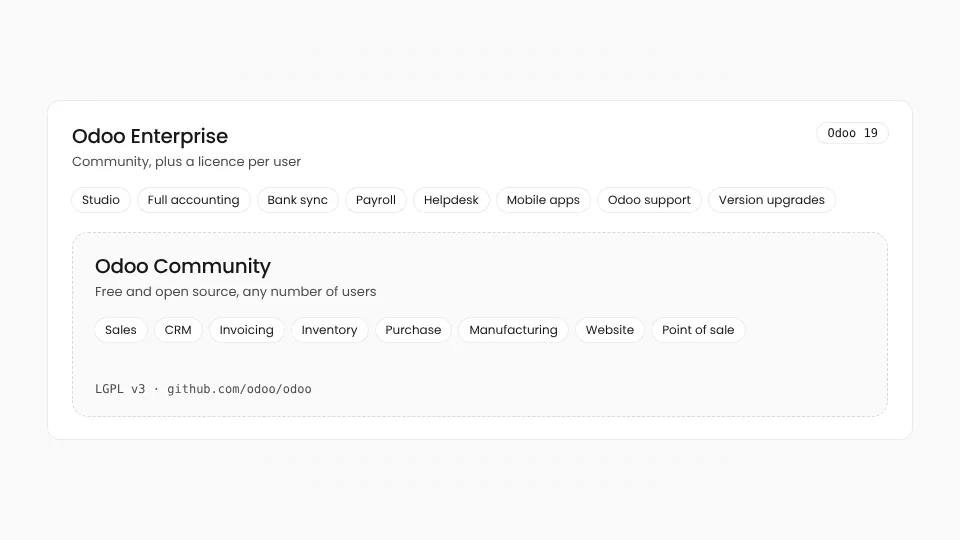
Both are the same Odoo underneath. Enterprise adds apps, Studio, full accounting and Odoo's support and upgrades, for a fee per user. Here is how to choose.
Community fits when
- Sales, CRM, invoicing, inventory, purchase, manufacturing, website or point of sale cover what you do
- You or a partner can add community modules (OCA) for what is missing
- You want no per-user licence, whatever the size of the team
- You are happy to run upgrades with open-source tools or a partner
Enterprise fits when
- You need full accounting with bank sync and reports, payroll or helpdesk
- You want to change screens and fields yourself with Studio
- You want Odoo's own support, bug fixes and version upgrades
- Your team uses the Odoo mobile apps every day
The differences, side by side
| Topic | Odoo Community | Odoo Enterprise |
|---|---|---|
| Licence | Open source (LGPL v3) | Proprietary Odoo Enterprise licence |
| Cost | No licence fee, for any number of users | A subscription per user per month, priced by country and plan |
| Accounting | Invoicing and payments; full accounting through community modules | Full accounting: bank synchronisation, reconciliation, financial reports |
| Customisation | Python modules written by a developer | Python modules, plus Studio to change forms, fields and reports without code |
| Mobile | The web interface in a mobile browser | The Odoo mobile apps for iOS and Android |
| Version upgrades | OpenUpgrade from the Odoo Community Association, or a partner | Included: Odoo upgrades your database through its upgrade service |
| Support | Partners and the community | Odoo's support and bug fixes are part of the subscription |
| Hosting | Anywhere you like | Odoo Online, Odoo.sh, or your own server on the Custom plan |
Based on Odoo's public editions in November 2026. Odoo decides which apps belong to which edition and can change it, so check odoo.com for your version. Odoo is a trademark of Odoo S.A.; Odotify is not affiliated with it.
Enterprise only
Apps you get only with Enterprise
Some of the most asked-for apps are not in Community at all. Community modules can fill some of the gaps, at the cost of maintaining them yourself.
- Studio
- Accounting (full)
- Bank synchronisation
- Payroll
- Helpdesk
- Field Service
- Planning
- Documents
- Sign
- Knowledge
- Marketing Automation
- Subscriptions
- Rental
- Quality
- PLM
- Mobile apps
On Odotify
Run either edition on your own server
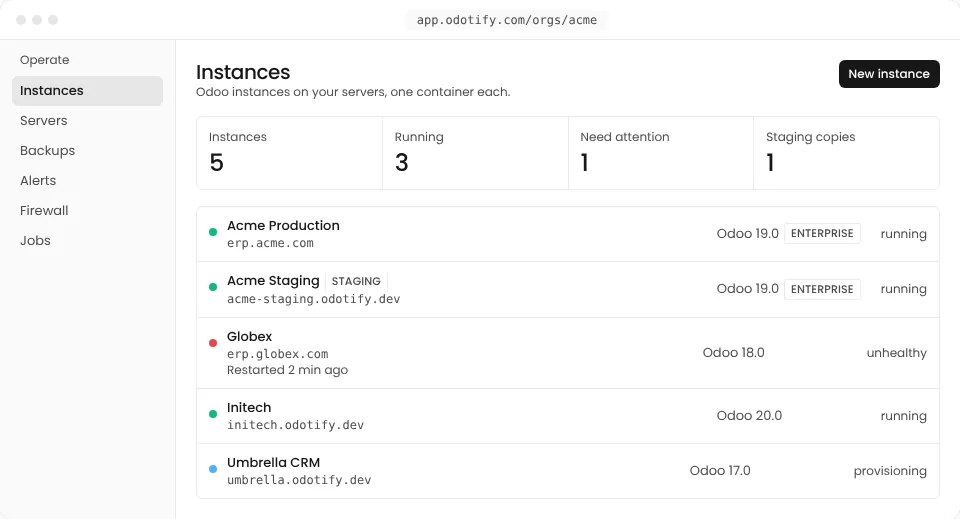
Odotify installs Community or Enterprise on any Linux server you choose, and keeps it updated, backed up and monitored, for one flat fee.
Start on Community
Pick Community when you create an instance. No licence, no per-user fee, and your own addons from Git.
Switch when you need to
Bought an Enterprise subscription? Switch the instance to Enterprise from the dashboard. A database backup is taken first.
Upgrade either way
Community upgrades run with OpenUpgrade on a staging copy first. Enterprise databases come back from Odoo's upgrade service as an import.
Community vs Enterprise questions
01Is Odoo Community really free?
Yes. Odoo Community is open source under the LGPL v3 licence, so there is no licence fee for any number of users or companies. You pay only to host it, and for any development or partner help you need.
02Can I use Odoo Community for accounting?
Community includes invoicing, payments and the basics. Full accounting, with bank synchronisation, reconciliation and financial reports, is in Enterprise. Many companies use Community with accounting modules from the Odoo Community Association (OCA) instead.
03Can I switch from Community to Enterprise later?
Yes. Your data stays in the same database, and Enterprise installs its modules on top. On Odotify you switch an instance to Enterprise from the dashboard once you have a subscription; a database backup is taken first so you can roll back.
04Can I go back from Enterprise to Community?
It is possible but hard: every Enterprise module, and the data that only those modules use, has to be uninstalled first. Plan it with a partner and test it on a copy of the database.
05Can I host Odoo Enterprise on my own server?
Yes, with Odoo's Custom plan. You install the Enterprise code that comes with your subscription on your server. Odotify does this for you: upload Enterprise once and pick it per instance.
Community today, Enterprise when you are ready.
Run either edition on a server you own, with one flat fee and no per-user hosting charge. Start free on one instance.