Odoo.sh alternative
Everything you use Odoo.sh for, on a server you own.
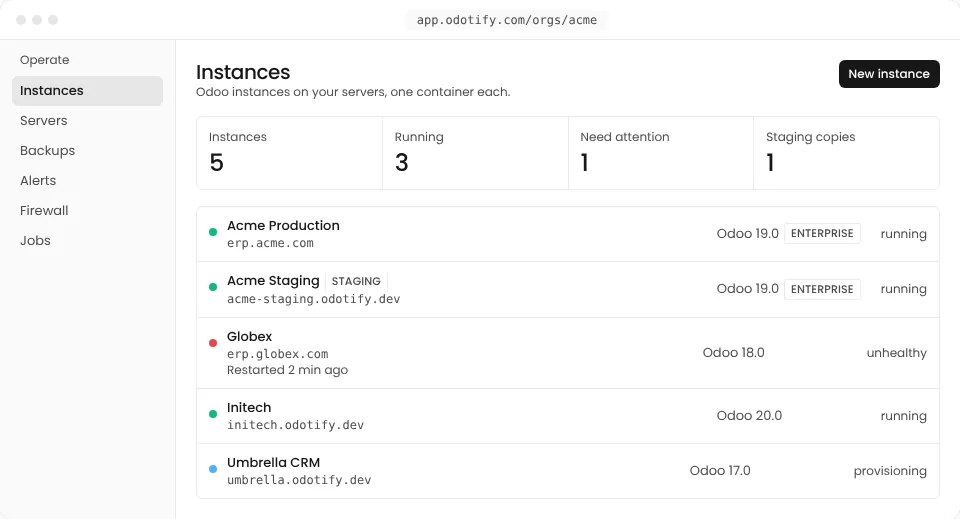
Staging, Git deploys, backups and upgrades, with Odoo Community or Enterprise, on any cloud or on your own hardware. One flat fee, and your cloud provider bills the servers at cost.
Create servers at, or attach:
 Hetzner
 DigitalOcean
 Amazon Web Services
 Google Cloud
 Microsoft Azure
 Vultr
 Akamai
 Any SSH server
Odoo.sh and Odotify, side by side
| Feature | Odoo.sh | Odotify |
|---|---|---|
| Odoo editions | Enterprise only | Community and Enterprise |
| Where Odoo runs | Odoo's own data centres | Any Linux server you reach over SSH: Hetzner, AWS, DigitalOcean, Google Cloud, Azure, Vultr, Akamai or your own rack |
| Root access to the server | No | Yes, the server stays yours |
| Custom addons from Git | GitHub | GitHub, GitLab or any Git host, or a zip upload |
| Staging | Staging branches | Staging instances, then a reviewed push of code, addons and apps to production |
| Pricing | Per worker and per GB of storage, next to your Enterprise subscription | One flat fee from $0 a month. No per-worker or per-user fees |
| Backups | Kept on Odoo's platform | In your own S3 or Wasabi bucket, or Odotify's storage, with monthly restore drills |
| Your brand for clients | No | Agency plan: your portal, your domain, your logo |
Odoo.sh details as published by Odoo S.A. in November 2026; check odoo.sh for its current terms. Odoo and Odoo.sh are trademarks of Odoo S.A.
Moving over
Leave Odoo.sh in an afternoon.
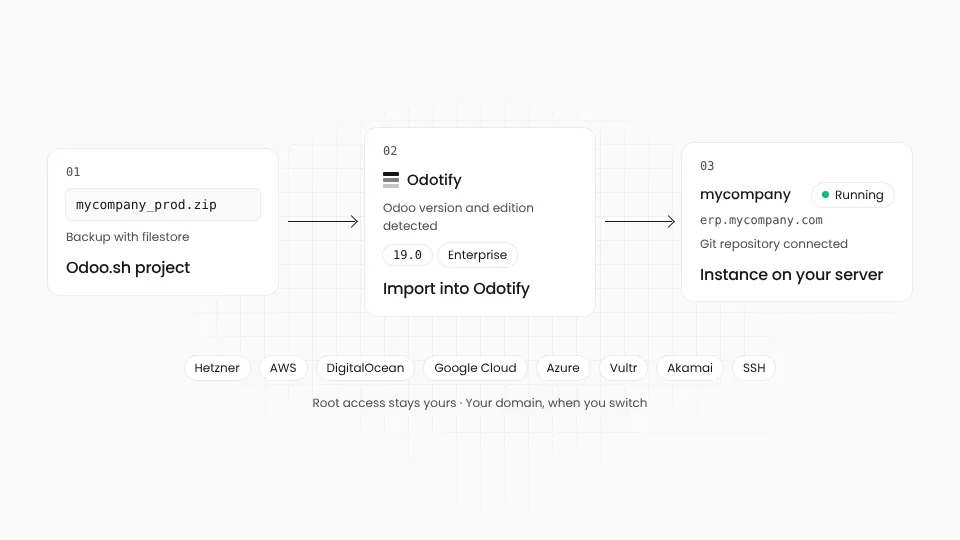
Your database, files and custom addons come with you. Odoo.sh keeps running until you switch the domain.
01
Download a backup
From your Odoo.sh project, download a backup of production with its filestore.
02
Add a server
Create one at your cloud from Odotify, or attach a Linux server you already have with one command.
03
Import the backup
Odotify detects the Odoo version and edition, then restores the database into a new instance.
04
Connect your repository
Point Odotify at the Git repository you used on Odoo.sh. Addons deploy per branch, as before.
Being fair
When Odoo.sh is still the right choice
- You want Odoo S.A. to run the servers too, and you never want a cloud account of your own.
- Your team relies on Odoo.sh's own build pipeline and test runner.
- You prefer one invoice from Odoo for the licence and the hosting.
If none of these is you, you can run the same Odoo for less, on servers you control.
Odoo.sh questions
01Do I still need an Odoo Enterprise subscription?
Only for Odoo Enterprise. Your subscription covers Enterprise wherever it runs; you upload the Enterprise package once in Odotify. Odoo Community needs no subscription at all.
02Will my Odoo.sh backup import as it is?
Yes. Upload the backup and Odotify detects the version and edition, restores the database and filestore, and tells you before it starts if something does not match.
03Can I keep deploying custom modules from GitHub?
Yes. Connect GitHub, GitLab or any Git host and deploy addons per branch. You can also upload a module as a zip; Odotify takes a backup first.
04Is Odotify cheaper than Odoo.sh?
Usually, because you pay one flat fee for Odotify and your cloud provider's own price for the server, with no charge per worker. Compare your Odoo.sh bill with a server of the same size at your provider plus your Odotify plan.
05Where will my data live?
On the server you choose, in the region you choose: the EU, the US, the Gulf or your own office. Backups go to storage you pick, and you can download them as standard Odoo dumps.
Bring your Odoo.sh project over.
Start free with a server you already have, or try Pro free for 14 days.