Odoo AI: what the AI app does, what it costs, where it runs
Odotify team · Published · 9 min read
"Odoo AI" is one of the fastest-growing Odoo searches, and the answers online mix three different things: the AI app Odoo ships, third-party chatbots that connect to Odoo, and general claims about "AI-powered ERP". This guide sticks to what Odoo itself documents for Odoo 19 and 20: what the features do, what they cost, which edition and plan you need, and what changes when you host Odoo yourself. Facts come from Odoo's documentation, Odoo's app page and the Odoo AI IAP page, read on 21 November 2026.
What is Odoo AI?
Odoo AI is the set of artificial intelligence features built into Odoo, centred on AI agents that understand plain-language requests, look up information and carry out tasks in your database.
Odoo's documentation (20.0) puts it this way: AI agents are "at the core of Odoo AI". An agent can be used in a chat, or triggered by an automated or scheduled action as part of a workflow. Around the agents, Odoo adds AI into everyday screens:
| Feature | What it does | Notes |
|---|---|---|
Ask AI (Ctrl + k or the AI icon) | Answers questions, summarizes, translates, opens views and reports | Read-only by default |
| AI agents | Assistants you configure with instructions, skills, knowledge and triggers | Creating or customizing one needs the AI app |
| AI fields | Fill a field (text, number, date, tags, many2one...) from the record's context | Added through Studio or a property field |
| AI in email templates | Write personalized email content per recipient | Works for single and bulk sends |
| AI voice transcription | Transcribe recorded conversations and generate summaries | Odoo 19 and 20 |
| AI image generation | Create images from a prompt | Documented from Odoo 20 |
| AI in Live Chat | An agent answers visitors, qualifies them and creates leads | Needs Live Chat and AI apps |
| AI document sort | Files land in the right Documents folder and trigger actions, such as creating a vendor bill | Needs Documents, not the AI app |
| AI server actions | AI reads a record and picks which server action to run | Part of automation rules |
The default Ask AI agent is read-only. Odoo's 19.0 documentation is explicit: it "cannot make changes to the database". It can open a view or a report, but not create a lead. To change data you need an agent with skills.
How do Odoo AI agents work?
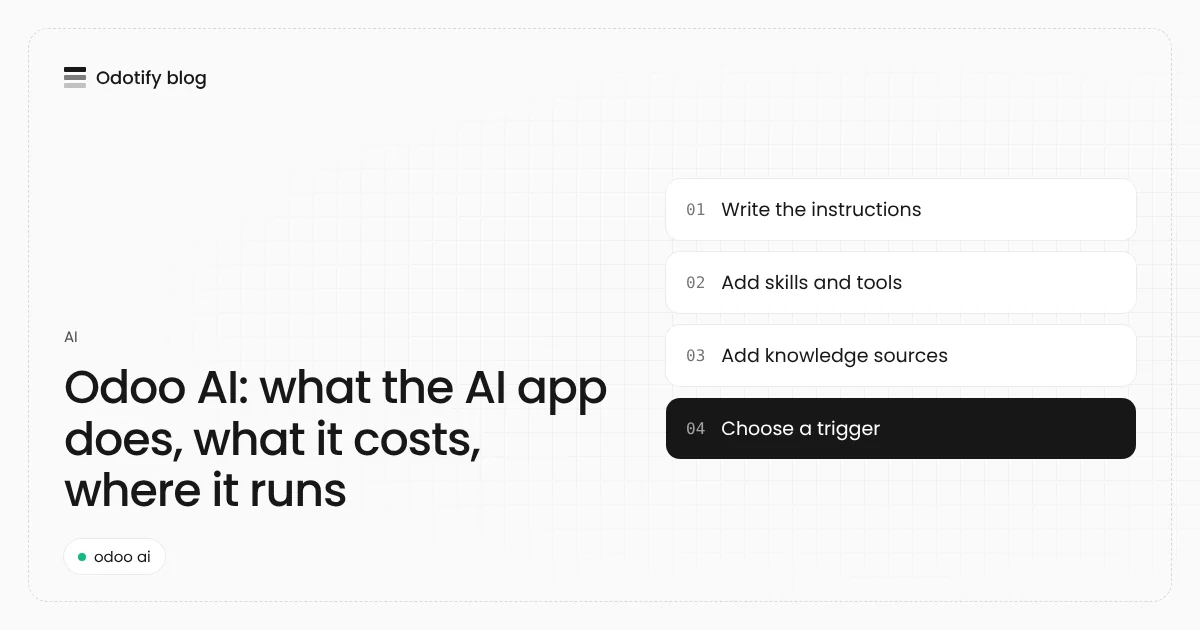
An Odoo AI agent is built from four parts, and each one is a tab on the agent form in the AI app.
- Instructions. A System Prompt defines the agent's role, rules and tone. Each skill adds its own, narrower instructions.
- Skills and tools. A skill is a task the agent can do, with the tools it may call. Built-in tools include Generate image, Web Search and Self Update (the agent proposes changes to its own setup). An agent with no skills can only provide information; it cannot change the database.
- Knowledge. Sources the agent can search: uploaded files, web pages, files from the Documents app and Knowledge articles. Turn on Restrict answers to Sources and the agent answers only from them. Reprocess a source after it changes.
- Triggers. When the agent runs: in a chat, On a schedule, Based on a Date Field, After creation or After update of a record.
Agents can also call other agents as subagents, so a general assistant can hand a task to a specialist, such as a purchasing agent.
One warning from Odoo's documentation deserves a bold line in your project plan: agents triggered automatically create and update records without asking a user for approval. Give an automated agent only the skills and tools it needs, and test it on a copy of your database first.
What can you do with Odoo AI? Practical examples
The uses that save real time are narrow, repetitive tasks with clear inputs:
- Vendor bills from email. AI document sort reads incoming PDFs, files them and creates the draft bill in Accounting.
- Lead qualification on the website. A Live Chat agent answers common questions, asks for missing details and creates the lead, then hands over to a person. If a channel has both a chatbot and an AI agent, the agent wins.
- Product data. An AI field writes a product description from the name, category and attributes.
- Follow-up emails. An AI command in an email template writes a personal paragraph per customer when you send in bulk.
- Ask the database. Odoo 19's release notes list "database queries to AI agents": internal users can ask an agent about their own records, and an "AI search" turns a plain-language request into an Odoo filter.
- Meetings and calls. Voice transcription turns a recorded conversation into a transcript and a summary.
Start with one of these, measure the time saved for a month, then add the next. Broad "do everything" agents are harder to control and spend more credits.
Is Odoo AI free?
No. The AI app is part of Odoo Enterprise, and AI requests cost credits.
- Edition. There is no
aimodule in the Odoo Community source code for 19.0 or 20.0 (we checked theodoo/odoorepository on 21 November 2026). Community users get no Odoo AI app; see our Odoo Community vs Enterprise comparison. - Plan on Odoo Online. Odoo's documentation warns that installing the AI app on a database on the Standard pricing plan "automatically triggers an upsell to the Custom pricing plan".
- Credits. Odoo AI runs on Odoo's In-App Purchase (IAP) service. The Odoo AI IAP page lists €1.00 per credit and 20 free credits, in packs of 10 (€10), 100 (€100), 500 (€500) and 1,000 (€1,000). Credit use "varies based on the specific AI feature, task complexity, and the size of your request". Credits belong to one database, do not expire, and can be refunded within 30 days if unused, according to the same page.
So the real cost of Odoo AI is the Enterprise licence (and Custom plan on Odoo Online) plus credits. For the licence side, our Odoo pricing guide has a calculator.
Odoo 19 vs Odoo 20: what changed for AI?
The two versions differ in how the AI is paid for and connected:
| Odoo 19 | Odoo 20 | |
|---|---|---|
| AI app | Yes (agents, AI fields, document sort, live chat) | Yes, plus AI image generation |
| AI provider | OpenAI (ChatGPT) or Google Gemini | Odoo's built-in AI services through IAP |
| Own API key | Required on Odoo.sh and on-premise; optional on Odoo Online | API key page "under construction" in the 20.0 docs |
| MCP server for external assistants | Not in the 19.0 docs (19.4 on Odoo Online only) | Built in, at <database URL>/mcp |
In Odoo 19, the AI app's settings let you pick ChatGPT or Gemini and paste your own key under AI app, Configuration, Settings, Providers. Odoo's 19.0 documentation states that API keys "are required for Odoo.sh or On-premise databases to use AI features". The 20.0 documentation instead describes AI requests going through IAP credits, and its API key page currently only links to the IAP page.
The other big change in Odoo 20 is the MCP server: Claude, ChatGPT, Codex or another assistant can connect to your Odoo database directly. Our Odoo MCP guide covers the setup and the five read-only tools Odoo exposes by default.
Does Odoo AI work when you self-host Odoo?
Yes, with Enterprise. The AI app ships in the Enterprise code you download with your subscription, so it runs on your own server like any other Enterprise app.
What to plan for:
- Odoo 19 on your server: create an OpenAI or Gemini API key and add it in the AI app settings. You pay the AI provider directly, on top of the Enterprise licence.
- Odoo 20 on your server: AI requests use IAP credits, so the server must be able to reach Odoo's IAP service over HTTPS.
- Data flow: prompts, record content and knowledge sources are sent to the AI service to get an answer. Check this against your data protection rules before you index HR or customer files as sources.
- Performance: long tasks such as extensive web searches should run on a scheduled trigger, which Odoo recommends so they run in the background rather than blocking the screen.
If you are choosing where to run Odoo Enterprise in the first place, our best Odoo hosting overview compares Odoo Online, Odoo.sh and your own server.
Steps to create your first Odoo AI agent
- Install the AI app (Enterprise; on Odoo Online, check the plan warning above).
- On Odoo 19 self-hosted or Odoo.sh, add your OpenAI or Gemini key under AI, Configuration, Settings. On Odoo 20, check your IAP credit balance.
- In the AI app, click New, name the agent and write a short description.
- On the Instructions tab, write the system prompt: its role, what it may and may not do, and how to answer.
- On the Skills tab, add only the skills it needs. Leave skills out for an information-only agent.
- On the Knowledge tab, add sources (Knowledge articles, Documents, files, web pages) and turn on Restrict answers to Sources if it must not improvise.
- On the Trigger tab, keep it in chat while you test. Add a schedule or record trigger only after it behaves.
- Test on a staging copy of your database, then move to production.
Running Odoo Enterprise with AI on your own server
Odotify runs Odoo 17, 18, 19 and 20 on a server you own, at Hetzner, DigitalOcean, AWS, Google Cloud, Azure or any Linux server reachable by SSH. For Enterprise, you upload the package from your Odoo subscription and Odotify installs it per instance, so the AI app runs like on any self-hosted Enterprise database. Staging copies let you test an agent with automatic triggers before it touches production, and Odotify's own MCP server lets an assistant read server status, backups and slow queries (from the Starter plan). Plans are a flat fee from $0; see pricing.
FAQ
Is Odoo an AI?
No. Odoo is a suite of business apps (CRM, accounting, inventory, website and more). Since Odoo 19 it includes AI features, mainly configurable AI agents, AI fields and AI document sorting, delivered through the Enterprise AI app.
Is Odoo AI free?
Not entirely. Odoo's AI IAP service gives 20 free credits, then costs €1.00 per credit (listed 21 November 2026). The AI app also needs Odoo Enterprise, and on Odoo Online it moves a Standard plan database to the Custom plan.
Does Odoo Community have AI?
No. The Odoo AI app is not in the Community source code for 19.0 or 20.0. Community users can connect an outside AI tool through the API or an MCP bridge, but that is not Odoo AI.
Which AI models does Odoo use?
Odoo 19's AI app supports OpenAI (ChatGPT) and Google Gemini as providers, and its release notes mention ChatGPT 5.0. In Odoo 20, AI requests go through Odoo's own IAP service.
Can Odoo AI change my data?
Only if you let it. The default Ask AI agent cannot change the database, and an agent without skills can only provide information. Agents with skills and automatic triggers do create and update records without asking, so limit their tools.
Sources
- Odoo 20.0 documentation, AI: https://raw.githubusercontent.com/odoo/documentation/20.0/content/applications/productivity/ai.rst
- Odoo 20.0 documentation, AI agents: https://raw.githubusercontent.com/odoo/documentation/20.0/content/applications/productivity/ai/agents.rst
- Odoo 20.0 documentation, AI server actions: https://raw.githubusercontent.com/odoo/documentation/20.0/content/applications/productivity/ai/server-actions.rst
- Odoo 20.0 documentation, AI fields, live chat and document sort: https://raw.githubusercontent.com/odoo/documentation/20.0/content/applications/productivity/ai/fields.rst, https://raw.githubusercontent.com/odoo/documentation/20.0/content/applications/productivity/ai/live-chat.rst, https://raw.githubusercontent.com/odoo/documentation/20.0/content/applications/productivity/ai/document_sort.rst
- Odoo 19.0 documentation, AI and AI API keys: https://raw.githubusercontent.com/odoo/documentation/19.0/content/applications/productivity/ai.rst, https://raw.githubusercontent.com/odoo/documentation/19.0/content/applications/productivity/ai/apikeys.rst
- Odoo AI IAP service and credit packs: https://iap.odoo.com/iap/in-app-services/867
- Odoo AI app page: https://www.odoo.com/app/artificial-intelligence
- Odoo 19 release notes (AI section): https://www.odoo.com/de_DE/odoo-19-release-notes

Odotify team
Odotify hosts Odoo on servers its customers own. This article was researched against live search results and the Odotify codebase.