Odoo integrations: API, webhooks, connectors and iPaaS (2026)
Odotify team · Published · 7 min read
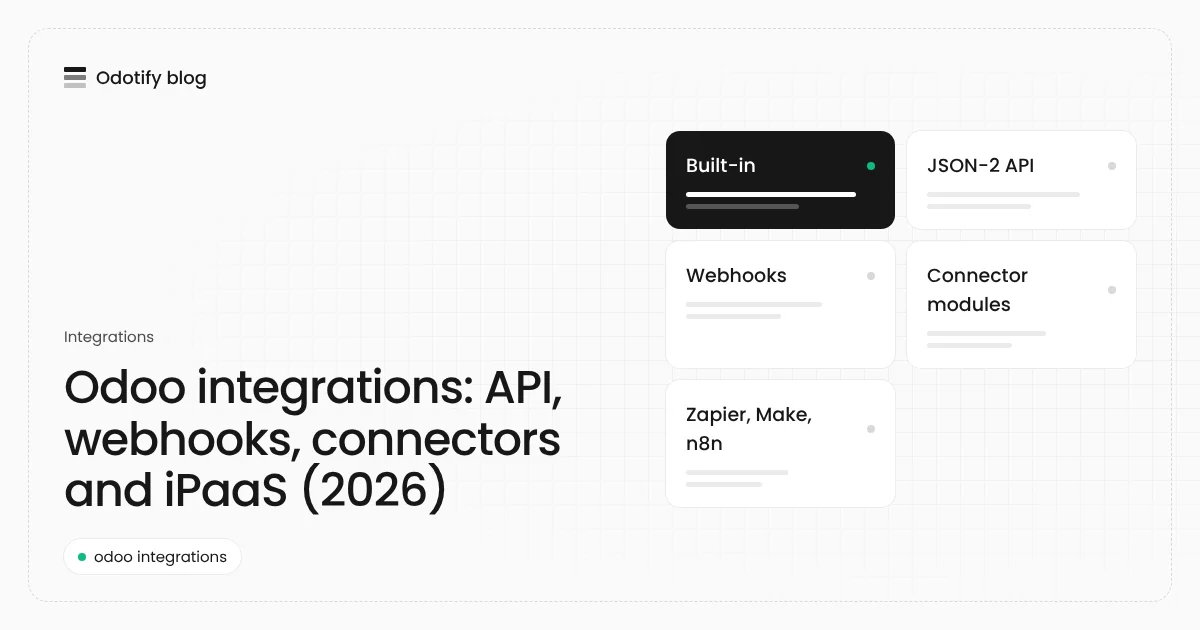
Almost every Odoo project ends up with a list of systems to connect: a webshop, a payment provider, a shipping carrier, a marketing tool, a data warehouse. This guide is for the person who has to choose how. It compares the five integration routes Odoo offers in 2026, says which ones work on which kind of hosting, and gives the setup steps for the two that need no extra software: the API and webhooks. Facts come from the Odoo 20.0 documentation and source code, read on 27 November 2026.
What are Odoo integrations?
An Odoo integration is any connection that moves data between Odoo and another system without someone copying it by hand. It can be one-way (Odoo sends a new order to a warehouse) or two-way (stock levels and orders stay in sync with a webshop). The route you pick decides who maintains it and what it costs.
| Route | Best for | Code needed | Works on Odoo Online |
|---|---|---|---|
| Built-in integrations | Standard needs Odoo already covers | No | Yes |
| JSON-2 external API | Your own software reading or writing Odoo data | Yes | Custom plan only |
| Webhooks (automation rules) | Push an event the moment it happens | Little | Yes |
| Connector modules (Apps Store, OCA) | Ready-made sync with a known system | No, but a module to install | No (Odoo apps only) |
| iPaaS (Zapier, Make, n8n) | Many small automations without developers | No | Yes, through the API |
Which integrations are built into Odoo?
Odoo ships a set of integrations you only switch on. The "Integrations" section of the Odoo 20.0 documentation lists mail plugins (Gmail and Outlook add-ins that create contacts, leads, tasks and tickets from an email), Unsplash images, address autocomplete, geolocation, Google Translate and cloud storage, which keeps chatter and email attachments on Google Cloud or Microsoft Azure instead of the server.
Many more live inside the apps themselves: payment providers in Invoicing and eCommerce, shipping carriers in Inventory, bank synchronization in Accounting, and email servers in Settings (see Odoo email setup). Check the app's settings before you build anything: the cheapest integration is the one that already exists.
How do you integrate Odoo through the API?
Since Odoo 19, the main API is JSON-2: a POST request with a JSON body to /json/2/<model>/<method>, authenticated by an API key. It can call any public method of any model, with the same access rights as the user who owns the key.
curl -X POST https://mycompany.example.com/json/2/sale.order/search_read \
  -H "Authorization: bearer $ODOO_API_KEY" \
  -H "Content-Type: application/json" \
  -d '{"domain": [["state", "=", "sale"]], "fields": ["name", "amount_total"], "limit": 5}'
Points to plan for:
- Plan: on Odoo Online, Odoo's documentation says external API access is only available on Custom plans. On your own server, the API is part of the installed code, in Community too.
- Keys expire: an API key lasts at most three months, so integrations must rotate it.
- Deadlines: XML-RPC and JSON-RPC are deprecated; their
commonandobjectservices are scheduled for removal in Odoo 22 (fall 2028) and Odoo Online 21.1 (winter 2027).
The full guide, with Python examples and a migration table from XML-RPC, is in Odoo API.
How do Odoo webhooks work?
Odoo has webhooks in both directions, built on automation rules (the base_automation module, LGPL-3, so in Community as well).
Outgoing: "Send Webhook Notification". An automation rule action that sends a POST request with the values of the fields you choose to a URL you give, for example when a sales order is confirmed. Odoo shows a sample payload. It refuses fields restricted to a user group, so a webhook cannot leak, for example, salary data by accident.
Incoming: the "On webhook" trigger. Odoo generates a URL of the form https://<your-odoo>/web/hook/<uuid>. When another system POSTs JSON to it, the rule finds the target record (by default from _model and _id in the payload) and runs its actions: update a field, create a record, send a message or run Python code. Odoo answers 200 with {"status": "ok"}, 404 for an unknown URL and 500 if an action fails.
The incoming URL needs no login: the random part of the URL is the only secret. Keep it out of tickets and chat, use "Rotate Secret" if it leaks, and turn on "Log Calls" while testing.
Steps to create a webhook in Odoo
- Make a copy of the database and work there first; Odoo's own documentation recommends testing webhooks on a duplicate.
- Turn on developer mode and open Settings, Technical, Automation Rules (or Studio, Webhooks, on Enterprise).
- Create a rule, choose the model (for example
sale.order) and the trigger "On webhook". - Copy the generated URL. Adjust the Target Record code if the sending system does not put
_modeland_idin its payload. - Add the actions, for example "Update Record" to set a delivery status.
- Send a test POST with Postman or curl and check the response and the log.
- Put the URL in the other system and remove the test data.
For the outgoing direction, create a rule with a normal trigger (such as "On save" with a domain on the state) and the action "Send Webhook Notification".
Should you use a connector module?
A connector module is the fastest route when one exists for the system you use, and the most work to keep alive when it does not get updated. The Odoo Apps Store has an Integration category with free and paid connectors for webshops, marketplaces, CRMs, accounting and BI tools. The Odoo Community Association (OCA) maintains free LGPL building blocks for writing your own: queue_job runs long syncs in the background and is installable on 19.0 and 20.0, and the connector framework is installable on 19.0.
Before installing one, check three things: that it has a release for your Odoo major version, who maintains it, and what happens at the next upgrade. Every module you add must be migrated with Odoo each year; see Odoo upgrade guide.
Hosting decides whether you may install it at all. Odoo Online only runs Odoo's own apps, so third-party connector modules need Odoo.sh or your own server.
Zapier, Make or n8n: when do iPaaS tools fit?
iPaaS tools are right for many small, low-volume automations that business users want to own. Zapier, Make and n8n all publish an Odoo app with ready-made triggers and actions. They call Odoo's external API underneath, so on Odoo Online they need the Custom plan too. n8n can also be self-hosted next to your Odoo.
They fit less well for high-volume, two-way syncs such as stock levels across thousands of products, where cost per task and rate limits add up. There, a connector module or a small custom integration on the API is usually cheaper.
How do you choose the right integration?
Answer these in order:
- Does Odoo already do it? Check the app settings and the Integrations documentation.
- Is there a maintained connector for your Odoo version? Use it, on Odoo.sh or your own server.
- Is it event-driven and simple? Use a webhook.
- Is it many small automations owned by business users? Use Zapier, Make or n8n.
- Otherwise, build on the JSON-2 API with a dedicated bot user and key.
Whatever you choose, give each integration its own Odoo user with only the rights it needs, so its access can be limited, logged and revoked on its own. The Odoo security checklist covers the rest.
Where Odotify fits
Odotify runs Odoo 17, 18, 19 or 20, Community or Enterprise, on servers you own at Hetzner, DigitalOcean, AWS, Google Cloud, Azure, Vultr, Akamai or any Linux host. That opens every route above: the JSON-2 API on any plan, webhooks over HTTPS on each instance's own domain, and connector modules you upload per instance. Staging copies (Starter plan and up) let you test an integration on real data, with outgoing email and scheduled jobs switched off, before it touches production. Plans are on the pricing page; the Odoo.sh alternative page compares hosting options.
FAQ
What is the best way to integrate Odoo with other systems?
Use a built-in integration if Odoo has one, then a maintained connector module, then webhooks for simple events, iPaaS tools for small automations, and the JSON-2 API for everything else.
Does Odoo have webhooks?
Yes. Automation rules can send a webhook (POST with chosen fields) and receive one on a generated /web/hook/ URL. The module is LGPL-3, so this works in Odoo Community as well as Enterprise.
Can I connect Odoo to Shopify?
Yes, through connector modules that sync orders, products and stock; the Odoo Apps Store Integration category lists several. Check the module supports your Odoo version, and note that Odoo Online does not accept third-party modules.
Does Zapier work with Odoo?
Yes. Zapier, Make and n8n have Odoo apps. They use Odoo's external API, which on Odoo Online needs the Custom plan.
Do I need Odoo Enterprise for integrations?
No. The JSON-2 API and automation rules with webhooks are in Odoo Community. Studio's webhook screen and some app connectors are Enterprise features.
Are Odoo webhooks secure?
The incoming URL needs no login, so its random part works as a password. Keep it secret, rotate it if exposed, and serve Odoo over HTTPS only.
Sources
- Odoo 20.0 documentation, Integrations (read 27 November 2026): https://www.odoo.com/documentation/20.0/applications/general/integrations.html
- Odoo 20.0 documentation, Automation rules and Webhooks: https://www.odoo.com/documentation/20.0/applications/studio/automated_actions/webhooks.html
- Odoo 20.0 documentation, External JSON-2 API: https://www.odoo.com/documentation/20.0/developer/reference/external_api.html
- Odoo 20.0 source, base_automation webhook controller: https://github.com/odoo/odoo/blob/20.0/addons/base_automation/controllers/main.py
- Odoo Apps Store, Integration category: https://apps.odoo.com/apps/modules/category/integration/browse
- OCA queue_job (20.0 branch): https://github.com/OCA/queue/tree/20.0/queue_job
- Zapier, Odoo integrations: https://zapier.com/apps/odoo/integrations
- Make, Odoo integration: https://www.make.com/integrations/odoo
- n8n, Odoo integrations: https://n8n.io/integrations/odoo/

Odotify team
Odotify hosts Odoo on servers its customers own. This article was researched against live search results and the Odotify codebase.