Odoo API: JSON-2, XML-RPC removal and API keys (2026)
Odotify team · Published · 8 min read
Most integrations with Odoo, from a webshop sync to a reporting tool, talk to the same thing: Odoo's external API. In 2026 that API is changing. Odoo 19 added a new endpoint called JSON-2, and the old XML-RPC and JSON-RPC endpoints now have removal dates. This guide is for developers and IT leads who need to connect software to Odoo 19 or 20, or keep an older integration alive. Everything below comes from the Odoo 20.0 external API documentation and Odoo's pricing page, both read on 26 November 2026, and from the Odoo 20.0 source code.
What is the Odoo API?
The Odoo API lets another program search, read, create, update and delete Odoo records over HTTP, with the same access rights as a user. It is not a separate product. It exposes the ORM methods every Odoo model already has (search, read, search_read, create, write, unlink) plus public business methods such as action_confirm on a sales order.
There are three ways in, depending on the version:
| Protocol | Endpoint | Status in 2026 |
|---|---|---|
| JSON-2 | /json/2/<model>/<method> | New in Odoo 19.0, the recommended API |
| XML-RPC | /xmlrpc, /xmlrpc/2 | Deprecated; removal scheduled for Odoo 22 |
| JSON-RPC | /jsonrpc | Deprecated; removal scheduled for Odoo 22 |
Odoo has no REST API in the strict sense: there are no resource URLs like /partners/25. Search results that sell an "Odoo REST API" are third-party modules that add their own routes. JSON-2 comes closest to REST: plain HTTP POST, JSON in and out, a bearer token, and normal HTTP status codes.
How does the JSON-2 API work?
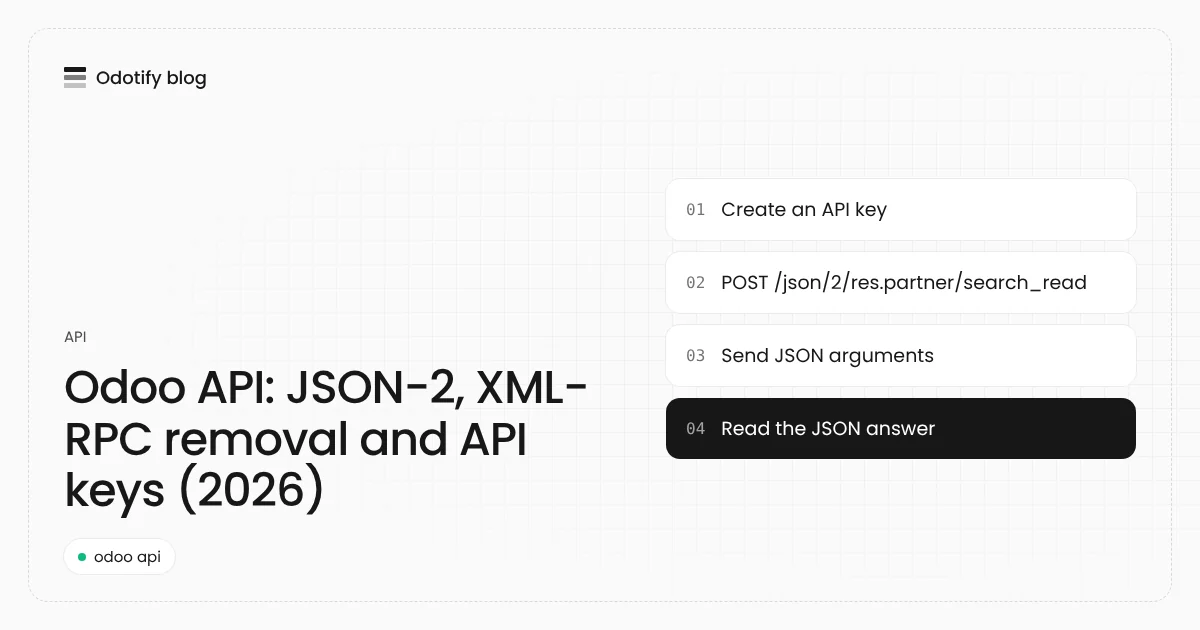
You send a POST request with a JSON body to /json/2/<model>/<method>, authenticated by an API key in the Authorization header. The model and method go in the URL; every argument is named in the body.
POST /json/2/res.partner/search_read HTTP/1.1
Host: mycompany.example.com
X-Odoo-Database: mycompany
Authorization: bearer <your API key>
Content-Type: application/json; charset=utf-8
User-Agent: mysoftware

{
  "context": {"lang": "en_US"},
  "domain": [["name", "ilike", "%deco%"], ["is_company", "=", true]],
  "fields": ["name"]
}
The answer is a 200 with the method's return value as JSON, for example [{"id": 25, "name": "Deco Addict"}]. Errors come back as 4xx or 5xx with a JSON object holding the exception name, message, arguments, context and a debug traceback. A wrong key returns 401 with the message Invalid apikey.
What the headers do:
- Authorization (required):
bearerfollowed by the API key. - X-Odoo-Database (optional): only needed when one server hosts several databases and
dbfilterdoes not pick the database from the host name. - Host (required by HTTP/1.1): lets a reverse proxy route the request to the right Odoo.
- User-Agent (recommended): the name of your software, which helps when reading logs.
In the body, ids lists the records the method runs on (leave it out for @api.model methods), context holds extra values such as the language, and every other key is a named parameter of the method. JSON-2 has no positional arguments.
Each database also documents itself: the models, fields and methods available on that database are listed on its own /doc page, which matters because installed apps and custom modules change what exists.
A complete example in Python
import requests

BASE_URL = "https://mycompany.example.com/json/2"
headers = {
    "Authorization": f"bearer {API_KEY}",   # load the key from a secret store
    "X-Odoo-Database": "mycompany",
    "User-Agent": "mysoftware",
}

ids = requests.post(f"{BASE_URL}/res.partner/search", headers=headers, json={
    "domain": [["is_company", "=", True]],
}).json()

names = requests.post(f"{BASE_URL}/res.partner/read", headers=headers, json={
    "ids": ids,
    "fields": ["name"],
}).json()
Steps to connect an integration to Odoo with JSON-2
- Create a dedicated user for the integration (a "bot" user) with only the access rights it needs, and set no password on it so nobody can sign in with it.
- Sign in as that user, open Preferences, then Account Security, and click New API Key. Give it a description and a duration, and copy the key: Odoo shows it only once.
- Store the key in your secret manager, never in the integration's code.
- Find the model and method names on the database's
/docpage. - Send a test
search_readwith a small domain and check the200answer. - Put a reminder in your calendar to rotate the key before it expires.
How do Odoo API keys work?
An API key is a random 160-bit token tied to one user, with an expiry of at most three months. Odoo's documentation recommends about one day for interactive use. Because no key can last longer than three months, long-running integrations must rotate their key at least every three months.
Keys can also be managed by code. res.users.apikeys/generate creates a new key (arguments key, scope, name, expiration_date) and res.users.apikeys/revoke revokes one. By default only users with Settings administration rights can do this; the system parameter base.enable_programmatic_api_keys opens it to others. A user can generate up to 10 keys this way (system parameter base.programmatic_api_keys_limit); going over returns 422.
A safe rotation is: generate the new key, deploy it, check every service uses it, then revoke the old key while authenticated with the new one.
Every call is checked against the user's access rights, record rules and field access. That is why the dedicated bot user matters: if its key leaks, the damage is limited to what that user may do, and the access log shows the bot, not a person.
Is the Odoo API free? Which plans include it?
On Odoo Online and Odoo.sh, external API access is part of the Custom plan only. Odoo's documentation says access is not available on One App Free or Standard plans, and the pricing page lists "External API" among the Custom plan's features, together with Studio and multi-company. Odoo defines external API as outside software that calls Odoo's API to query, retrieve or update data.
On a server you run yourself, the API is part of the code you install. The JSON-2 controller lives in the rpc module of Odoo 20.0 (addons/rpc/controllers/json2.py), licensed LGPL-3, so it is in Odoo Community too. With Odoo Enterprise on your own server, your licence terms still apply. See Odoo Community vs Enterprise for what else differs.
When will Odoo remove XML-RPC?
The XML-RPC and JSON-RPC endpoints are deprecated, and Odoo has published the removal dates:
| What | Removed in |
|---|---|
db service (create, drop, dump, restore databases over RPC) | Odoo 20 (fall 2026) and Odoo Online 19.1 (winter 2025) |
common and object services (login, execute_kw) | Scheduled for Odoo 22 (fall 2028) and Odoo Online 21.1 (winter 2027) |
So an integration written with xmlrpc.client and execute_kw still works on Odoo 20, but it has a deadline. On Odoo Online the deadline arrives about a year and a half earlier than on self-hosted Odoo, because Odoo Online runs the intermediate releases first. Other controllers declared with type='jsonrpc' (called type='json' until Odoo 18) are not part of this deprecation.
If you have scripts that create or back up databases through the db service, they already fail on Odoo 20. The /web/database/* controllers (create, duplicate, drop, backup, restore) still exist as form endpoints behind the master password. For production backups, a scheduled pg_dump plus a copy of the filestore is the safer route; see Odoo backup and restore.
How do you migrate from XML-RPC to JSON-2?
Map each execute_kw call to one JSON-2 POST, and replace login and password with an API key. The changes, point by point:
| XML-RPC | JSON-2 |
|---|---|
common.login(db, login, password) returns a user ID | No login step; the API key identifies the user |
common.version() | GET /web/version |
object.execute_kw(db, uid, password, model, method, args, kw) | POST /json/2/<model>/<method> with named arguments |
| Database passed in every call | X-Odoo-Database header, only when the host name is not enough |
Positional args | Named keys in the JSON body, plus ids and context |
Your own user ID from login | POST /json/2/res.users/context_get |
The same read in both styles:
# XML-RPC (deprecated)
models.execute_kw(db, uid, password, "res.partner", "read",
                  [[1, 2, 3], ["name"]], {"context": {"lang": "en_US"}})

# JSON-2
requests.post(f"https://{domain}/json/2/res.partner/read",
              headers={"Authorization": f"bearer {api_key}"},
              json={"ids": [1, 2, 3], "fields": ["name"], "context": {"lang": "en_US"}})
Watch transactions. Each JSON-2 call runs in its own database transaction, committed on success and rolled back on error, and you cannot chain calls into one transaction. A search followed by a read can fail if another user deletes a record in between. Prefer methods that do the whole job in one call (search_read instead of search plus read, action_confirm instead of several writes), or add a small module with a method that does it.
Test the migration on a copy of production before switching. A staging environment with real data catches access-right and field-name surprises early.
How do you secure the Odoo API on your own server?
- Serve it over HTTPS only, behind a reverse proxy; see Odoo with Nginx.
- One bot user and one key per integration, with the shortest practical expiry.
- Set
dbfilterso the database is chosen from the host name, and turn off the database manager withlist_db = Falseon production. - Log and watch for
401bursts, which mean someone is guessing keys.
The Odoo security checklist covers the rest.
Where Odotify fits
Odotify installs Odoo 17, 18, 19 or 20, Community or Enterprise, on servers you own, at Hetzner, DigitalOcean, AWS, Google Cloud, Azure, Vultr, Akamai or any Linux host. Because the code runs on your server, the JSON-2 API is there on every Odotify plan; what you may use with Enterprise depends on your Odoo licence. Each instance gets HTTPS and its own domain, and a staging copy (Starter plan and up) lets you test an XML-RPC to JSON-2 migration against real data before production. Odotify's own platform also has an MCP server for AI assistants; see Odoo MCP. Plans are on the pricing page.
FAQ
Does Odoo have a REST API?
Not a REST API with resource URLs. Since Odoo 19 it has JSON-2: HTTP POST to /json/2/model/method with JSON and a bearer API key. REST modules from third parties add their own routes on top.
Is XML-RPC still supported in Odoo 20?
Yes, the common and object services still work in Odoo 20, but they are deprecated and scheduled for removal in Odoo 22 (fall 2028) and Odoo Online 21.1 (winter 2027). The db service is already gone in Odoo 20.
Which Odoo plan includes the external API?
On Odoo's own cloud, only the Custom plan. Odoo states that One App Free and Standard plans have no external API access. On your own server, the API is part of the installed code.
How long can an Odoo API key last?
At most three months. Odoo recommends about one day for interactive use, so integrations must rotate keys at least every three months.
Can I create Odoo API keys from code?
Yes, with res.users.apikeys/generate and revoke over JSON-2. By default this needs Settings administration rights, and a user can generate up to 10 keys unless an administrator raises the limit.
Does JSON-2 work on Odoo 17 or 18?
No. JSON-2 is new in Odoo 19.0. On Odoo 17 and 18, use XML-RPC or JSON-RPC, and plan the move to JSON-2 when you upgrade.
Sources
- Odoo 20.0 documentation, External JSON-2 API (read 26 November 2026): https://www.odoo.com/documentation/20.0/developer/reference/external_api.html
- Odoo pricing page, plans and "What does External API mean?" (read 26 November 2026): https://www.odoo.com/pricing
- Odoo 20.0 source, JSON-2 controller in the rpc module: https://github.com/odoo/odoo/blob/20.0/addons/rpc/controllers/json2.py
- Odoo 20.0 source, rpc module manifest (LGPL-3): https://github.com/odoo/odoo/blob/20.0/addons/rpc/__manifest__.py

Odotify team
Odotify hosts Odoo on servers its customers own. This article was researched against live search results and the Odotify codebase.