Odoo cloud storage: attachments on Google Cloud, Azure or S3
Odotify team · Published · 7 min read
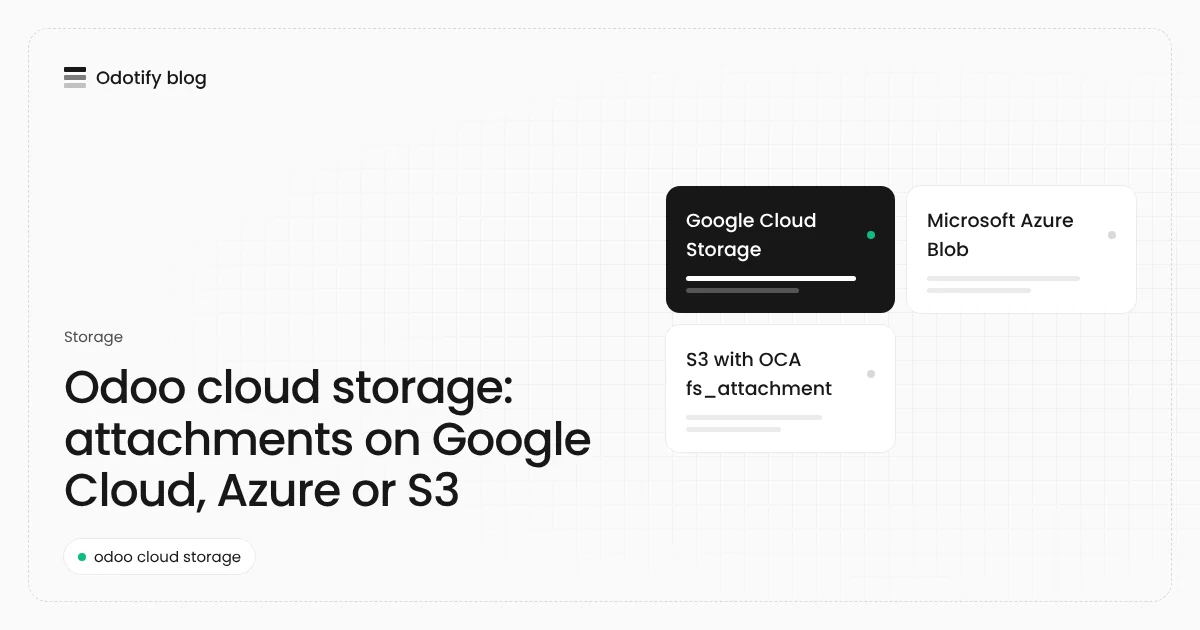
An Odoo database grows in two places: the PostgreSQL database, and the filestore, the folder where Odoo keeps every attachment, image and PDF. On a busy database the filestore is often much larger than the database itself, and it fills the server's disk. "Odoo cloud storage" is how you move part of it to a bucket instead. This guide is for administrators who want to know what Odoo offers natively, what it does not move, how S3 fits in, and how backups change. It is based on Odoo's 20.0 documentation and the Odoo and OCA source code, read on 26 November 2026.
What is Odoo cloud storage?
It is an Odoo integration that stores chatter and email attachments on Google Cloud Storage or Microsoft Azure instead of on the database's server. Odoo's documentation gives two reasons to use it: to keep large files from being uploaded to and downloaded from the Odoo server, and to give a database more room when it needs more storage.
It is built from three modules in the Odoo source:
| Module | What it does | Available in | Licence |
|---|---|---|---|
cloud_storage | Base: "Store chatter attachments in the cloud" | 18.0, 19.0, 20.0 | LGPL-3 |
cloud_storage_google | Google Cloud Storage provider | 18.0, 19.0, 20.0 | LGPL-3 |
cloud_storage_azure | Microsoft Azure Blob provider | 18.0, 19.0, 20.0 | LGPL-3 |
Because they are in the main odoo/odoo repository under LGPL-3, they work on Odoo Community as well as Enterprise. They are not in Odoo 17.
What does Odoo cloud storage move, and what stays on the server?
Only chatter and email attachments at or above a minimum size you set go to the bucket. Everything else stays in the filestore on the Odoo server:
| File | Where it goes with cloud storage on |
|---|---|
| Attachment posted in the chatter, above the minimum size | Cloud bucket |
| Attachment on an incoming or outgoing email, above the minimum size | Cloud bucket |
| Small attachments, below the minimum size | Server filestore |
| Files Odoo generates (for example a sales order PDF) | Server filestore |
| Files in the Documents app | Server filestore |
| Files in the Sign app | Server filestore |
| Images, website assets, product pictures | Server filestore |
So this is not a way to move the whole filestore off the server. It is a way to stop large email and chatter files from growing it. If your filestore is mostly scanned documents in the Documents app, the native module will not help.
How much storage does an Odoo database get?
Odoo's documentation lists the limits by hosting type:
| Hosting | Storage limit |
|---|---|
| Odoo Online | 100 GB |
| Odoo.sh, shared hosting | 512 GB |
| Odoo.sh, dedicated hosting | 4 TB |
| On-premise (your own server) | Whatever your infrastructure provides |
On Odoo Online and Odoo.sh, cloud storage is the native way past those limits for attachments. On your own server you can also simply buy a bigger disk; cloud storage is then a choice about cost and server size, not a hard limit.
Steps to set up Odoo cloud storage with Google Cloud
- In the Google Cloud console, go to IAM & Admin, Service Accounts, Create service account. Name it, click Create and continue, then Done. Note its email.
- On that service account, open Manage keys, then Add key, Create new key, choose JSON and download the key file. Store it securely.
- Go to Cloud Storage, Buckets, Create. Name the bucket (following Google's naming rules) and create it.
- On the bucket, open Edit access, Add principal, paste the service account's email, choose the Storage Admin role, and save.
- In Odoo, install Cloud Storage Google.
- Open Settings, Cloud Storage. Choose Google Cloud Storage as the provider for new attachments, enter the bucket name, and upload the JSON key.
- Set the Minimum File Size (bytes) for attachments that go to Google Cloud.
How to set up Odoo cloud storage with Microsoft Azure
Azure needs an app registration, a storage account, a container, two CORS rules and a role assignment. In short:
- App registration: create one with "Accounts in any organizational directory (multitenant)", note the Application (client) ID and Directory (tenant) ID, and add a client secret. Odoo recommends 180 days (6 months) or less; renew the secret and update Odoo before it expires.
- Storage account and container: create a storage account in a resource group, then a container under Data storage, Containers.
- CORS: two blob service rules, allowed origin
*. One forGETwith headersContent-Type, Content-Disposition, one forPUTwith headerscontent-type,x-ms-blob-type, both with max age 0. - Role: assign Storage Blobs Data Contributor to the app. Odoo also documents an optional custom role that only allows read and add, so stolen credentials cannot delete files.
- Odoo: install Cloud Storage Azure, then in Settings, Cloud Storage, enter the account name, container name, tenant ID, client ID and client secret, and the minimum file size.
The CORS rules suggest that the browser exchanges files with Azure directly, which matches Odoo's stated goal of keeping large uploads and downloads off the Odoo server.
Can Odoo store attachments on Amazon S3?
Not with Odoo's own modules: they support Google Cloud and Azure only. For Amazon S3 and S3-compatible storage (Wasabi, Backblaze B2, MinIO, DigitalOcean Spaces and others), the usual route is the Odoo Community Association's fs_attachment module in the OCA/storage repository, licensed AGPL-3. Unlike Odoo's module, it replaces where the filestore lives, so it can move all attachments, not only chatter and email files.
Its status on 26 November 2026:
| Odoo version | OCA fs_attachment |
|---|---|
| 18.0 | Installable (18.0.2.2.4) |
| 19.0 | Installable (19.0.1.1.7) |
| 20.0 | Branch exists, module marked not installable |
So on Odoo 20 you have two choices today: Google Cloud or Azure with Odoo's modules, or keep the filestore on disk until the OCA migration lands. Paid apps on the Odoo Apps Store also offer S3 and drive sync; check their supported versions and test them on a copy first.
How do backups work with cloud storage?
A database backup no longer contains every file: the attachments in the bucket are outside it. The attachment record stays in the database, while the file itself sits in the bucket. A restore therefore needs both, from the same point in time.
What to do:
- Back up the bucket with the provider's own tools: object versioning, retention or soft delete, and a copy to a second region or account.
- Never point a restored copy at the production bucket with write access. A staging copy that deletes or replaces attachments would change production files. Use a read-only key for staging, or a copied bucket.
- Remove the delete permission where you can. Odoo's Azure custom role does exactly that.
- Test a restore: restore the database and confirm that old chatter attachments still open.
Our Odoo backup and restore guide covers the database and filestore side.
Is Odoo cloud storage worth it?
Use it when large email and chatter attachments drive your storage growth, or when you are near the Odoo Online or Odoo.sh limit. Skip it when:
- your growth comes from Documents, Sign or generated PDFs, which stay on the server anyway;
- you run your own server and a larger disk is cheaper and simpler;
- you are on Odoo 17, which does not have the modules.
On a self-hosted server, object storage is cheap per gigabyte, but every file then depends on a second service and a second set of credentials. Weigh that against a bigger disk and good backups. Sizing advice for the server itself is in Odoo server requirements.
Where Odotify fits
Odotify runs Odoo 17 to 20, Community or Enterprise, on your own server at Hetzner, DigitalOcean, AWS, Google Cloud, Azure, Vultr, Akamai or any Linux host, so the filestore sits on a disk you size and own. Backups of the database and filestore go off the server, and every plan can send them to your own S3, Wasabi or other storage. Odoo's cloud storage modules are part of Odoo 18 to 20, so you can install them on an Odotify instance like any other module and test them on a staging copy (Starter plan and up) first. See self-hosted Odoo for the general setup and the pricing page for plans.
FAQ
Does Odoo have native cloud storage?
Yes, since Odoo 18. The cloud_storage, cloud_storage_google and cloud_storage_azure modules store chatter and email attachments above a minimum size on Google Cloud or Azure.
Is Odoo cloud storage available in Odoo Community?
Yes. The modules are in the odoo/odoo repository under LGPL-3, so they install on Community as well as Enterprise, on Odoo 18, 19 and 20.
Can I use Amazon S3 for Odoo attachments?
Not with Odoo's own modules. Use the OCA fs_attachment module, installable on Odoo 18 and 19, or a paid app from the Odoo Apps Store. On 26 November 2026, fs_attachment was not yet installable on Odoo 20.
Does cloud storage move existing attachments?
Odoo's documentation describes the provider setting as applying to new attachments. Plan for existing files to stay in the filestore, and check on a copy before relying on anything else.
What is the storage limit on Odoo Online?
100 GB per database, as listed in Odoo's cloud storage documentation. Odoo.sh shared hosting allows 512 GB and dedicated hosting 4 TB.
Where is the Odoo filestore on my server?
By default in Odoo's data directory, in a filestore folder per database. Its location is set by data_dir in the Odoo configuration file.
Sources
- Odoo 20.0 documentation, Cloud Storage (read 26 November 2026): https://www.odoo.com/documentation/20.0/applications/general/integrations/cloud_storage.html
- Odoo 20.0 source, cloud_storage module manifest (LGPL-3): https://github.com/odoo/odoo/blob/20.0/addons/cloud_storage/__manifest__.py
- Odoo 18.0 source, cloud_storage_google module: https://github.com/odoo/odoo/tree/18.0/addons/cloud_storage_google
- OCA storage repository, fs_attachment for 19.0: https://github.com/OCA/storage/blob/19.0/fs_attachment/__manifest__.py
- OCA storage repository, fs_attachment for 20.0 (not installable yet): https://github.com/OCA/storage/blob/20.0/fs_attachment/__manifest__.py

Odotify team
Odotify hosts Odoo on servers its customers own. This article was researched against live search results and the Odotify codebase.