Odoo Inventory: routes, valuation and Community vs Enterprise
Odotify team · Published · 7 min read
Inventory is one of the Odoo apps companies adopt first, and one of the easiest to set up badly. Warehouse locations, routes and the valuation method are decided early and are hard to change once stock moves through them. This guide is for operations managers and Odoo administrators planning an Inventory rollout on Odoo 20. You will learn how the app is structured, how routes and replenishment work, which valuation choices exist, and what Odoo Community gives you without an Enterprise licence. It is based on the Odoo 20.0 Inventory and inventory valuation documentation, Odoo's Inventory feature page, and the Odoo 20.0 source code, all read on 28 November 2026.
What is Odoo Inventory?
Odoo Inventory is both an inventory application and a warehouse management system: it records every stock move between locations, plans replenishment and, with Accounting, values the stock. It works with Sales, Purchase, Manufacturing, Point of Sale and eCommerce: a confirmed sales order creates a delivery, a reordering rule creates a purchase order, and a manufacturing order consumes components.
The building blocks, as Odoo 20.0 documents them:
| Concept | What it is |
|---|---|
| Warehouse | A physical site with an address and its own routes |
| Location | A subdivision of a warehouse (aisle, rack, shelf, cold room), or a virtual location such as vendor, customer, transit, production or inventory loss |
| Operation type | Receipts, internal transfers, deliveries, manufacturing, each with its own sequence and defaults |
| Route | A chain of push and pull rules that moves goods between locations |
| Product tracking | Serial numbers, lot numbers and expiration dates |
How do routes and multi-step operations work?
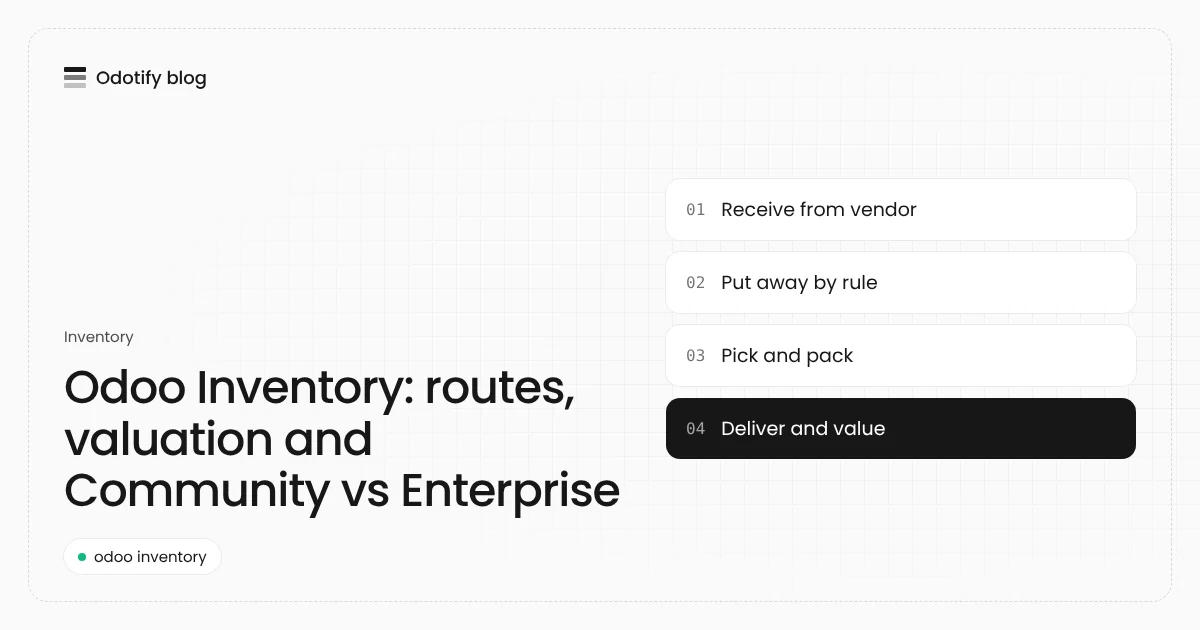
A route is a set of rules that tells Odoo where goods go next; you pick one-, two- or three-step flows per warehouse, or build your own. Out of the box:
- Receipts: one step (receive into stock), two steps (input, then stock) or three steps (input, quality check, then stock).
- Deliveries: one step (ship), two steps (pick, then ship) or three steps (pick, pack, then ship).
- Pull rules create a move when demand appears somewhere (a delivery needs stock, so Odoo pulls it from stock). Push rules move goods automatically once they arrive somewhere (received goods are pushed to a quality area).
- Putaway rules and storage categories send products to the right shelf on arrival, based on capacity and product needs.
- Dropshipping has the vendor ship directly to the customer, cross-docking sends received goods straight to the outbound gate, and consignment lets you hold and sell stock you do not own yet.
Start with the simplest flow that matches the real floor. A three-step delivery in a two-person warehouse only adds clicks.
How does replenishment work in Odoo?
Reordering rules, make-to-order and lead times create purchase, manufacturing or transfer orders for you. Odoo 20.0 offers:
- Reordering rules (min/max): when the forecast drops below the minimum, Odoo proposes an order up to the maximum. The feature page also describes calculating optimal minimum and maximum levels from recent sales and a target number of coverage days.
- Replenish on order (MTO): a sales order triggers a purchase or manufacturing order for that order.
- Just-in-time logic and lead times: vendor and manufacturing lead times decide when orders are created.
- Inter-warehouse replenishment: one warehouse resupplies another.
- The replenishment report: one screen with everything Odoo suggests ordering.
Reservation decides when stock is set aside for an order: at confirmation, manually, or a set number of days before the scheduled date.
Which removal strategies and picking methods are there?
Removal strategies decide which units leave first; Odoo 20.0 has FIFO, LIFO, FEFO, closest location and least packages. FEFO (first expired, first out) needs expiration dates on lots and is the usual choice for food and pharmaceuticals. Closest location shortens picker walks; least packages avoids opening new boxes.
For picking, the documentation describes batch picking, wave transfers and cluster picking for warehouses where one picker handles many orders at once. Check which of these your edition includes on a test database before you design the floor around them.
How is stock valued in Odoo 20?
Odoo values stock with one of three cost methods (Standard Price, FIFO or Average Cost) and one of two valuation methods (Periodic or Perpetual). These are set per company in Accounting, Configuration, Settings, and can be overridden per product category.
| Setting | Options in Odoo 20.0 |
|---|---|
| Inventory Valuation | Perpetual (at invoicing) or Periodic (at closing) |
| Periodic closing entry | Manual, Daily or Monthly |
| Inventory Cost Method | Standard Price, First In First Out (FIFO), Average Cost (AVCO) |
The Inventory app keeps a real-time valuation based on physical moves. The accounting value follows the valuation method: with Periodic, the books update during the stock closing process; with Perpetual, they update when bills and invoices are posted, and the closing process also covers receipts and deliveries not yet invoiced. Odoo notes that Periodic is often paired with Continental accounting (cost recorded when the vendor bill is posted) and Perpetual with Anglo-Saxon accounting (cost of goods sold recorded when the customer invoice is posted). With Standard Price under Perpetual, a price difference account on the product category records the gap between standard and billed price.
Note that LIFO exists as a removal strategy, not as a cost method. Landed costs (freight, customs, insurance) can be added to the value of received goods, and valuation can also be tracked by lot or serial number.
Decide the cost method with your accountant before the first receipt. Changing it later revalues every product.
Is Odoo Inventory free in Community?
Yes, the core is. In the Odoo 20.0 source, stock, stock_account (valuation), purchase_stock, mrp (manufacturing), mrp_subcontracting, stock_dropshipping, stock_landed_costs and stock_delivery (delivery methods) are all licensed LGPL-3 and part of Odoo Community.
These parts are Enterprise only (not in the Community source):
| Feature | Module |
|---|---|
| Barcode app for scanning receipts, picks and counts | stock_barcode |
| Quality checks and control points | quality_control |
| Carrier connectors: FedEx, UPS, DHL, Sendcloud, EasyPost | delivery_fedex, delivery_ups, delivery_dhl, delivery_sendcloud, delivery_easypost |
On Odoo's cloud, Inventory is in the Standard and Custom plans, or free as the single app of One App Free. Prices per user are in our Odoo pricing guide, and the wider split is on Odoo Community vs Enterprise. The OCA (Odoo Community Association) also publishes warehouse modules for Community; check that each one has a 20.0 version before you rely on it.
Steps to set up Odoo Inventory
- Map your real warehouse first: sites, zones, shelves, what is tracked by lot or serial, and how goods arrive and leave.
- Decide the valuation method and cost method with your accountant, and set them in Accounting settings before any stock moves.
- Create the warehouses and enable multi-step routes only where the floor actually has those steps.
- Create locations and putaway rules, then storage categories if capacity matters.
- Import products with their type, unit of measure, tracking and vendor lead times.
- Load opening stock with an inventory adjustment, by location and lot.
- Add reordering rules for the products you buy regularly, and review the replenishment report.
- Run a full order cycle (purchase, receipt, sale, delivery, invoice) on a staging copy and check the valuation report before go-live.
Common mistakes with Odoo Inventory
- Choosing the cost method after go-live. Switching from Average Cost to FIFO later revalues stock and confuses margins for the period.
- Too many steps. Two- and three-step flows create extra transfers that someone must validate every day.
- Untracked opening stock. If lots or serial numbers matter, load them in the opening adjustment, not later.
- Several companies in one warehouse. Stock belongs to one company; if you run several, plan the setup as in Odoo multi-company.
- A slow server during peak picking. Inventory screens read many moves; see why Odoo is slow and size the server to your order volume.
Where Odotify fits
Odotify runs Odoo 17, 18, 19 or 20, Community or Enterprise, on servers you own at Hetzner, DigitalOcean, AWS, Google Cloud, Azure, Vultr, Akamai or any Linux host. You can start Inventory on Odoo Community without a licence, and add Enterprise later if you need Barcode or carrier connectors. A staging copy (Starter plan and up) lets the warehouse team rehearse routes and valuation on real data, and push staging to production moves the tested code and modules. Server monitoring and alerts are on every plan. Plans are on the pricing page.
FAQ
Is Odoo Inventory free?
The core Inventory app is free in Odoo Community: stock, valuation, purchase and manufacturing links are LGPL. On Odoo's cloud it is free only as the single app of One App Free; otherwise it is part of the paid plans.
Does Odoo Community have barcode scanning?
Not the Barcode app: stock_barcode is Enterprise only. Community still stores barcodes on products and supports GS1 nomenclature in the stock module, but the scanning interface for warehouse operations is Enterprise.
Which costing methods does Odoo support?
Odoo 20 supports Standard Price, FIFO and Average Cost (AVCO), with Periodic or Perpetual valuation. LIFO is available as a removal strategy, not as a cost method.
Can Odoo manage several warehouses?
Yes. Each warehouse has its own locations and routes, and inter-warehouse replenishment moves stock between them automatically.
Does Odoo Inventory work without Odoo Accounting?
Yes, it tracks quantities and moves on its own. Stock valuation in the books needs Accounting or Invoicing with the stock_account module.
What is FEFO in Odoo?
First expired, first out: Odoo picks the lots with the nearest expiration date first. It needs expiration dates enabled on the tracked products.
Sources
- Odoo 20.0 documentation, Inventory (read 28 November 2026): https://www.odoo.com/documentation/20.0/applications/inventory_and_mrp/inventory.html
- Odoo 20.0 documentation, Inventory valuation (read 28 November 2026): https://www.odoo.com/documentation/20.0/applications/finance/accounting/get_started/inventory_valuation.html
- Odoo 20.0 documentation, Valuation cheat sheet (read 28 November 2026): https://www.odoo.com/documentation/20.0/applications/inventory_and_mrp/inventory/inventory_valuation/cheat_sheet.html
- Odoo 20.0 documentation, Three-step receipts (read 28 November 2026): https://www.odoo.com/documentation/20.0/applications/inventory_and_mrp/inventory/shipping_receiving/daily_operations/receipts_three_steps.html
- Odoo, Inventory features page (read 28 November 2026): https://www.odoo.com/app/inventory-features
- Odoo pricing page (read 28 November 2026): https://www.odoo.com/pricing
- Odoo 20.0 source, stock module manifest (LGPL-3): https://github.com/odoo/odoo/blob/20.0/addons/stock/__manifest__.py
- Odoo 20.0 source, stock_account module manifest (LGPL-3): https://github.com/odoo/odoo/blob/20.0/addons/stock_account/__manifest__.py

Odotify team
Odotify hosts Odoo on servers its customers own. This article was researched against live search results and the Odotify codebase.