Odoo on Google Cloud: Compute Engine sizes, setup and cost
Odotify team · Published · 6 min read
Companies already on Google Workspace or BigQuery often ask whether they can run Odoo on Google Cloud too. You can: Odoo is a Python application with a PostgreSQL database, and Compute Engine runs it like any Linux server. This guide is for IT leads and Odoo partners who want a working setup and a realistic monthly bill. Prices come from Google's Compute Engine and disk pricing pages, read on 25 November 2026; the setup follows what Odotify's own Google Cloud driver does.
Can you host Odoo on Google Cloud?
Yes, on a Compute Engine virtual machine. Google Cloud has no managed "Odoo service", so you pick one of three shapes:
| Setup | What it is | Good for |
|---|---|---|
| One VM with Odoo and PostgreSQL | Ubuntu 24.04 on Compute Engine, everything on one disk | Most companies up to a few dozen users |
| VM + Cloud SQL for PostgreSQL | Odoo on the VM, database managed by Google | Teams that want managed failover and point-in-time recovery |
| Containers on GKE | Kubernetes cluster with Odoo pods | Partners running many instances with a platform team |
Search results for "Odoo Google Cloud" also mention two things that are not hosting: Odoo's cloud storage integration, which stores attachments in a Google Cloud bucket instead of the database server, and Odoo's partnership with Google Cloud, which concerns Odoo Online's own infrastructure. Neither gives you a server you control.
Which Compute Engine machine type does Odoo need?
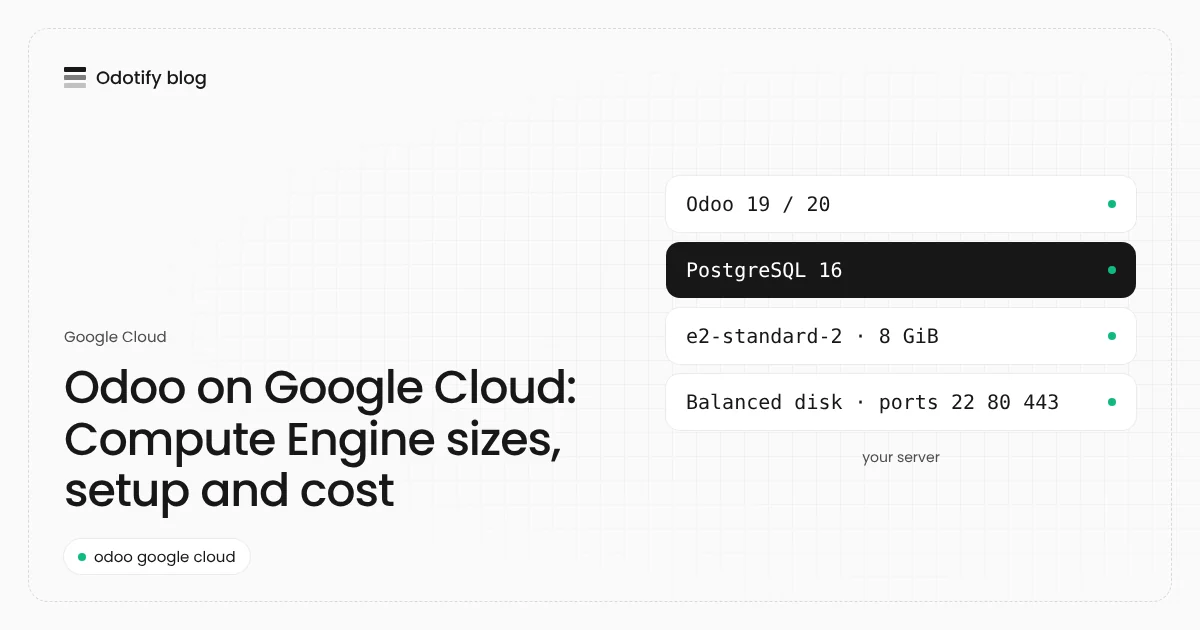
Start with e2-standard-2 (2 vCPU, 8 GiB) for a production company, e2-medium only for tests. Odoo needs memory for its workers and for PostgreSQL's cache; 8 GiB leaves room for both. Google's documentation describes e2-medium as a shared-core type that sustains 2 vCPUs at 50% of CPU time each, which is fine for a trial but slow under several concurrent users.
| Machine type | vCPU | Memory | On-demand, us-central1 | About per month (730 h) | Fits |
|---|---|---|---|---|---|
| e2-medium | 2 (shared) | 4 GiB | $0.0335 / hour | $24 | Test, demo, one or two users |
| e2-standard-2 | 2 | 8 GiB | $0.0670 / hour | $49 | Small company, 5 to 25 users |
| e2-standard-4 | 4 | 16 GiB | $0.1340 / hour | $98 | 25 to 60 users, POS, eCommerce |
| e2-standard-8 | 8 | 32 GiB | $0.2680 / hour | $196 | Large databases, many workers |
User counts are our rule of thumb, based on Odoo's guidance of roughly six concurrent users per worker; see Odoo server requirements and Odoo workers configuration. Committed use discounts lower these prices if you commit for one or three years.
The free tier is not enough for Odoo. Google's free tier includes one e2-micro VM a month in us-west1, us-central1 or us-east1 with 30 GB of standard persistent disk, and new accounts get $300 of credit for 90 days. The e2-micro sustains only 25% of CPU time in total, so use the credit to try e2-standard-2 instead.
What does Odoo on Google Cloud cost per month?
About $60 a month for a typical single-server setup in us-central1, before network egress and snapshots:
| Item | Price as listed | Per month |
|---|---|---|
| e2-standard-2 VM | $0.067 per hour | about $49 |
| 100 GB balanced persistent disk | $0.000137 per GiB-hour | about $10 |
| Backups in Cloud Storage or another bucket | depends on size and class | a few dollars |
| Total | about $60 plus egress |
Prices differ by region: the same pricing page lists e2-standard-2 at $0.0860 an hour in some other regions, so pick the region close to your users and check its price before you commit. If you need data to stay in the EU, choose a European region such as europe-west1 (Belgium) or europe-west3 (Frankfurt).
Should you use Cloud SQL for Odoo's database?
Only if you need managed failover. Cloud SQL handles backups, patches and high availability, but it costs more than a local PostgreSQL, adds network latency on every query, and you must run a PostgreSQL version your Odoo supports: 13 or newer for Odoo 19, 16 or newer for Odoo 20 (see Odoo and PostgreSQL versions). Odoo also keeps its filestore on disk, outside PostgreSQL, so Cloud SQL backups alone are not a full backup. For most companies, PostgreSQL on the same VM with nightly dumps of database and filestore to a bucket is simpler and faster.
Steps to install Odoo on Google Compute Engine
- Create a project for Odoo, or reuse one, and enable the Compute Engine API.
- Create a VM: Ubuntu 24.04 LTS image, e2-standard-2, a balanced persistent disk of 40 GB or more, in the region nearest your users.
- Add a firewall rule on the network for ports 22, 80 and 443 only, scoped by a network tag on the VM. Never expose PostgreSQL (5432) or Odoo's own port (8069).
- Reserve a static external IP and point your domain's DNS at it.
- Install PostgreSQL 16 and Odoo, then put Nginx in front with HTTPS; our guides on installing Odoo on Ubuntu 24.04 and the Odoo Nginx reverse proxy give the commands.
- Set workers and memory limits for your machine type, and set
list_db = Falseonce your database exists. - Schedule backups of the database and the filestore to a bucket in another region, and test a restore.
- Turn on Cloud Monitoring alerts for disk space and CPU.
Google's documentation says most projects cannot send to external mail servers on port 25, so send Odoo's email through a mail provider on port 587 or 465 instead.
Is Google Cloud a good choice for Odoo?
It is a good choice if your company already lives in Google Cloud. You get one bill, one IAM system and regions on every continent. For a company with no cloud preference, a VPS provider such as Hetzner or DigitalOcean usually costs less for the same CPU and memory; we compare them in the best VPS for Odoo and Odoo on AWS.
Odoo on Google Cloud without doing it by hand
Odotify is our product. It links to your own Google Cloud project and creates Odoo servers there for you. You run a few gcloud commands Odotify gives you: they create a custom role limited to Compute Engine, a service account whose name Odotify generated, and a grant that lets Odotify act as that account. Odotify never holds a key to your project, and you can revoke the grant at any time. Each server gets Ubuntu 24.04 LTS, a 40 GB balanced disk, Shielded VM and an odotify-managed firewall rule open on 22, 80 and 443. Then you install Odoo 17 to 20, Community or Enterprise, with HTTPS, scheduled backups, monitoring and staging copies. It is free for one server; see pricing and self-hosted Odoo.
FAQ
Is Odoo available on the Google Cloud Marketplace?
Third-party images of Odoo exist on the marketplace, but they are not from Odoo S.A. and may lag behind the latest version. A plain Ubuntu 24.04 VM with Odoo installed from the official packages or source gives you more control over the version.
Can I use the Google Cloud free tier for Odoo?
Not for real use. The free e2-micro VM sustains only a quarter of a CPU. Use the $300 trial credit to run an e2-standard-2 for a test instead.
Where should Odoo store attachments on Google Cloud?
On the VM's persistent disk by default, inside Odoo's filestore. Odoo also offers a cloud storage integration that keeps chatter and email attachments in a Google Cloud bucket; back up the bucket or the filestore together with the database.
Which Google Cloud region is best for Odoo?
The one closest to most of your users, inside any data residency rules you must follow. Prices also differ by region, so check the region on Google's pricing page before you create the VM.
Does Odoo run on Google Kubernetes Engine?
Yes, Odoo runs in containers, but GKE adds a cluster to operate. It pays off for partners running many instances with a platform team, not for a single company database.
Sources
- Google Cloud, Compute Engine general-purpose machine pricing: https://cloud.google.com/products/compute/pricing/general-purpose
- Google Cloud, disk and image pricing: https://cloud.google.com/compute/disks-image-pricing
- Google Cloud, general-purpose machine family (E2 shared-core): https://cloud.google.com/compute/docs/general-purpose-machines
- Google Cloud, sending email from a VM (port 25): https://cloud.google.com/compute/docs/tutorials/sending-mail
- Google Cloud, free tier and free trial: https://cloud.google.com/free/docs/free-cloud-features
- Odoo 20.0 documentation, cloud storage integration: https://www.odoo.com/documentation/20.0/applications/general/integrations/cloud_storage.html
- Odoo 20.0 source, minimum PostgreSQL version: https://github.com/odoo/odoo/blob/20.0/odoo/release.py

Odotify team
Odotify hosts Odoo on servers its customers own. This article was researched against live search results and the Odotify codebase.