Odoo PostgreSQL version: which one each Odoo release needs
Odotify team · Published · 7 min read
This guide answers one question that trips up many Odoo upgrades: which PostgreSQL version does my Odoo version need, and what do I do if my server has the wrong one? It is for admins and partners who install, move or upgrade Odoo on their own servers. By the end you will know the minimum PostgreSQL for Odoo 17 to 20, which version your Linux distribution installs, which PostgreSQL majors are still supported, and how to upgrade PostgreSQL without losing data. Facts come from Odoo's installation documentation, the Odoo source code, postgresql.org and the Ubuntu and Debian package archives, all checked on 24 November 2026.
Which PostgreSQL version does Odoo need?
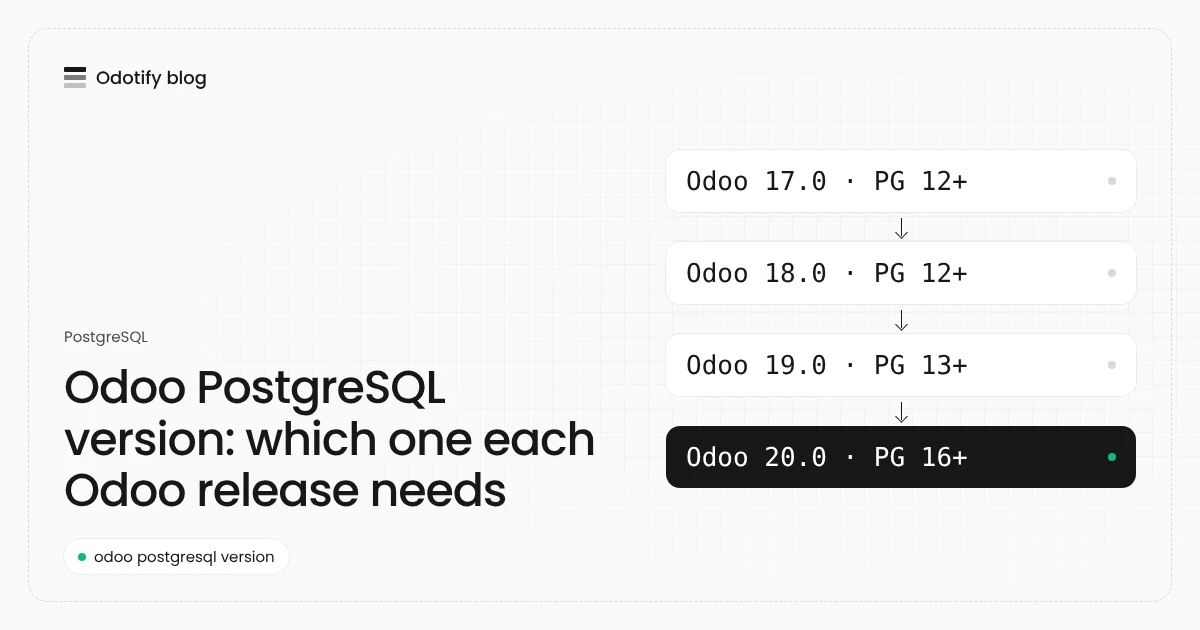
The minimum rose from PostgreSQL 12 to 13 in Odoo 19, and to 16 in Odoo 20. Odoo's source installation guide for each version lists the supported PostgreSQL, and since Odoo 19 the source code also carries a MIN_PG_VERSION constant in odoo/release.py.
| Odoo version | Released | Standard support ends | Minimum PostgreSQL | Minimum Python |
|---|---|---|---|---|
| Odoo 17.0 | November 2023 | September 2026 | 12 | 3.10 |
| Odoo 18.0 | October 2024 | September 2027 (planned) | 12 | 3.10 |
| Odoo 19.0 | September 2025 | September 2028 (planned) | 13 | 3.10 |
| Odoo 20.0 | September 2026 | September 2029 (planned) | 16 | 3.12 |
The Odoo 20.0 documentation states it directly: "Minimum requirement updated from PostgreSQL 13 to PostgreSQL 16." Odoo does not publish a maximum PostgreSQL version. In practice, use a PostgreSQL major that is both above Odoo's minimum and still supported by the PostgreSQL project, and test a newer major on a staging copy before production.
What happens if PostgreSQL is too old?
In the Odoo 19.0 and 20.0 source code, when Odoo opens a database connection it compares the server version with MIN_PG_VERSION and emits a warning ("Postgres version is …, lower than minimum required …"). It does not refuse to connect. That makes the problem easy to miss: the server starts, and then something fails later, during module installation, an upgrade script or a query that uses a newer PostgreSQL feature. Treat that warning as an error.
Which PostgreSQL does my Linux distribution ship?
Ubuntu 24.04 ships PostgreSQL 16, Debian 13 ships 17, and Ubuntu 26.04 ships 18. The postgresql package in each release's archive, checked on packages.ubuntu.com and packages.debian.org:
| Distribution | Default PostgreSQL | Odoo 17 / 18 | Odoo 19 | Odoo 20 |
|---|---|---|---|---|
| Ubuntu 22.04 (jammy) | 14 | Yes | Yes | No |
| Debian 12 (bookworm) | 15 | Yes | Yes | No |
| Ubuntu 24.04 (noble) | 16 | Yes | Yes | Yes |
| Debian 13 (trixie) | 17 | Yes | Yes | Yes |
| Ubuntu 26.04 (resolute) | 18 | Yes | Yes | Yes |
"Yes" means the default package meets Odoo's minimum. The two traps are Ubuntu 22.04 and Debian 12: both run Odoo 19 fine but are too old for Odoo 20 without a newer PostgreSQL. You can get one from the PostgreSQL project's own apt repository, which postgresql.org says carries all supported PostgreSQL versions for Ubuntu 22.04, 24.04, 26.04 and 26.10:
sudo apt install -y postgresql-common
sudo /usr/share/postgresql-common/pgdg/apt.postgresql.org.sh
sudo apt install -y postgresql-16
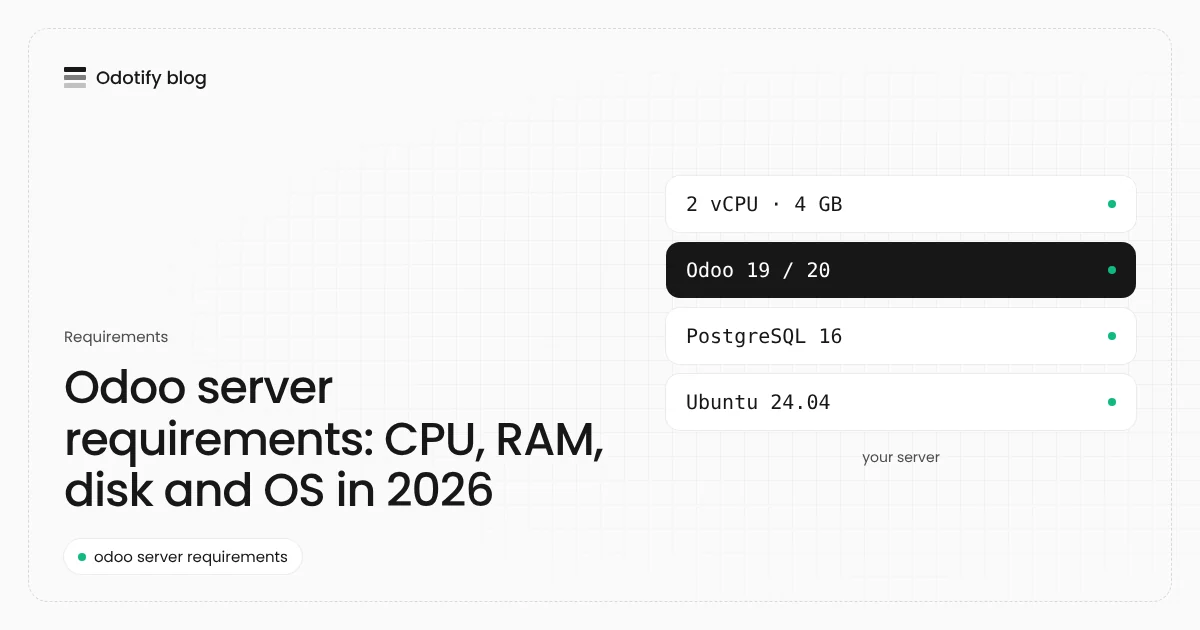
On a new server, the simpler route is to pick Ubuntu 24.04 or newer, or Debian 13, and use the distribution's PostgreSQL. Our Odoo server requirements guide covers CPU, RAM and disk for the same servers.
Which PostgreSQL versions are still supported?
PostgreSQL 15 to 19 are supported; 14 reached end of life on 12 November 2026. The PostgreSQL project supports each major version for five years and releases minor versions with bug and security fixes at least every three months. From postgresql.org's versioning page:
| PostgreSQL | First release | Final release (end of support) | Supported |
|---|---|---|---|
| 19 | 19 November 2026 | 19 November 2031 | Yes |
| 18 | 25 September 2025 | 14 November 2030 | Yes |
| 17 | 26 September 2024 | 8 November 2029 | Yes |
| 16 | 14 September 2023 | 9 November 2028 | Yes |
| 15 | 13 October 2022 | 11 November 2027 | Yes |
| 14 | 30 September 2021 | 12 November 2026 | No |
| 13 | 24 September 2020 | 13 November 2025 | No |
| 12 | 3 October 2019 | 21 November 2024 | No |
Two answers follow. PostgreSQL 13 and 14 are no longer supported, so an Odoo 17 or 18 server still on Ubuntu 22.04's PostgreSQL 14 now runs a database engine without security fixes. And PostgreSQL 17 is a mature, supported release: it has been out since September 2024 and has had twelve minor releases (17.12 is current).
Which one to pick for Odoo in late 2026? PostgreSQL 16 or 17 for most installs: both meet Odoo 20's minimum, both are the defaults on current LTS distributions, and both are supported until 2028 and 2029. PostgreSQL 18 is fine where your distribution ships it. PostgreSQL 19 came out five days before this article; wait for a few minor releases and test it on staging first.
How to check your PostgreSQL version
On the server, the client and server versions:
psql --version
sudo -u postgres psql -c "SHOW server_version;"
From inside a database (for example with psql -d yourdb):
SELECT version();On Debian and Ubuntu, pg_lsclusters lists every cluster with its version, port and status, which matters when an old and a new version are installed side by side.
How to upgrade PostgreSQL for Odoo
Upgrade PostgreSQL first, as its own step, then upgrade Odoo. Mixing the two makes it hard to tell which change broke something. There are two safe methods.
Option 1: pg_upgradecluster on Debian and Ubuntu
The postgresql-common package ships pg_upgradecluster, which upgrades a whole cluster to a new major version. Its manual says it uses pg_dump by default ("slow, but safe"), copies and adjusts the configuration, moves the old cluster to an unused port and does not delete it.
sudo systemctl stop odoo
sudo apt install -y postgresql-16          # the new major
sudo pg_lsclusters                         # e.g. 14 main online
sudo pg_upgradecluster 14 main             # creates 16 main on port 5432
sudo pg_lsclusters                         # check 16 main is online
sudo systemctl start odoo
After a few days of normal use, remove the old cluster with sudo pg_dropcluster 14 main. The faster --method=upgrade uses pg_upgrade under the hood; the manual warns to take care with it during an operating system upgrade, because a new libc or ICU can change collation order and require index rebuilds.
Option 2: dump and restore
Works everywhere, including when moving to a new server, which is often the cleaner path:
pg_dump -Fc -d production -f production.dump        # on the old server
createdb -O odoo production                          # on the new server
pg_restore -d production --no-owner --role=odoo production.dump
Copy the filestore (~/.local/share/Odoo/filestore/production or the data_dir set in odoo.conf) along with the dump. Our Odoo backup and restore guide has the full commands.
pg_upgrade on other systems
pg_upgrade from PostgreSQL itself upgrades data files to a later major version without a full dump and restore. Its documentation notes it is not needed for minor updates, such as 16.4 to 16.16, which your package manager installs in place.
Steps to move an Odoo server to a newer PostgreSQL
- Check the Odoo version you run or plan to run and its minimum PostgreSQL from the table above.
- Take a full backup: database dump plus filestore, copied off the server.
- Restore that backup on a staging server with the new PostgreSQL and run Odoo against it.
- Click through your main flows, run scheduled actions and watch the log for warnings.
- Schedule a short maintenance window, stop Odoo, and upgrade the production cluster with
pg_upgradeclusteror dump and restore. - Start Odoo, check
SELECT version();and the log, and keep the old cluster until you are sure. - Only then start the Odoo version upgrade; our Odoo upgrade guide covers that part.
How Odotify handles PostgreSQL versions
Odotify is our product. It runs Odoo 17 to 20 on your own server and reads the PostgreSQL version each server reports. It refuses to create an Odoo 20 instance, or start an upgrade to Odoo 20, on a server or database cluster with PostgreSQL older than 16, and tells you to pick a server on Ubuntu 24.04 or newer or Debian 13. Upgrades run on a staging copy first. Plans start at $0 a month; see pricing, or read about Odoo 20 hosting.
FAQ
What PostgreSQL version does Odoo 20 need?
PostgreSQL 16 or newer. Odoo's 20.0 installation guide raised the minimum from 13 to 16, and MIN_PG_VERSION = 16 in the 20.0 source code.
What PostgreSQL version does Odoo 19 need?
PostgreSQL 13 or newer. Since PostgreSQL 13 and 14 are out of support, use 15, 16 or 17 for a new Odoo 19 server.
What PostgreSQL version does Odoo 17 or 18 need?
PostgreSQL 12 or newer, per the 17.0 and 18.0 installation guides. Prefer a supported version, 15 or newer.
Is PostgreSQL 14 still supported?
No. PostgreSQL 14 reached its final release on 12 November 2026. PostgreSQL 13 ended on 13 November 2025.
Can I upgrade PostgreSQL and Odoo at the same time?
You can, but it is safer not to. Upgrade PostgreSQL first and run Odoo on it for a while, then upgrade Odoo. If something breaks, you will know which change caused it.
Does Ubuntu 22.04 work for Odoo 20?
Not with its default PostgreSQL 14. Install PostgreSQL 16 or newer from the PostgreSQL apt repository, or use Ubuntu 24.04 or Debian 13 instead.
Sources
- Odoo 20.0 documentation, source install (PostgreSQL 16 minimum, Python 3.12): https://raw.githubusercontent.com/odoo/documentation/20.0/content/administration/on_premise/source.rst
- Odoo 19.0, 18.0 and 17.0 documentation, source install: https://raw.githubusercontent.com/odoo/documentation/19.0/content/administration/on_premise/source.rst, https://raw.githubusercontent.com/odoo/documentation/18.0/content/administration/on_premise/source.rst, https://raw.githubusercontent.com/odoo/documentation/17.0/content/administration/on_premise/source.rst
- Odoo source code,
MIN_PG_VERSIONand version check: https://github.com/odoo/odoo/blob/20.0/odoo/release.py, https://github.com/odoo/odoo/blob/20.0/odoo/sql_db.py, https://github.com/odoo/odoo/blob/19.0/odoo/release.py - Odoo 20.0 documentation, standard and extended support: https://raw.githubusercontent.com/odoo/documentation/20.0/content/administration/standard_extended_support.rst
- PostgreSQL versioning policy and end-of-life dates: https://www.postgresql.org/support/versioning/
- PostgreSQL downloads for Ubuntu (apt repository): https://www.postgresql.org/download/linux/ubuntu/
- PostgreSQL documentation, pg_upgrade: https://www.postgresql.org/docs/current/pgupgrade.html
- Debian manual, pg_upgradecluster: https://manpages.debian.org/trixie/postgresql-common/pg_upgradecluster.1.en.html
- Ubuntu packages, postgresql: https://packages.ubuntu.com/jammy/postgresql, https://packages.ubuntu.com/noble/postgresql, https://packages.ubuntu.com/resolute/postgresql
- Debian packages, postgresql: https://packages.debian.org/bookworm/postgresql, https://packages.debian.org/trixie/postgresql

Odotify team
Odotify hosts Odoo on servers its customers own. This article was researched against live search results and the Odotify codebase.