Odoo 20: what changes for hosting, servers and upgrades
Odotify team · Published · 4 min read
Odoo releases one major version a year, and Odoo 20 is the 2026 release. Most coverage focuses on new features. This article covers what changes for the people who run Odoo: server requirements, operating systems, upgrade paths and timing.
When was Odoo 20 released?
Odoo presented version 20 at Odoo Experience in Brussels in September 2026 and published its release notes the same month. The 20.0 branch is public in the odoo/odoo repository on GitHub, and Odoo made it available for new databases on Odoo Online and Odoo.sh. As with every major release, the first months bring frequent fixes, so pull updates often if you start early.
What's new in Odoo 20, in short
Odoo's release notes and the partner write-ups that followed center on AI agents built into the apps (sales, helpdesk, CRM, live chat, field service and project are the ones most often cited), along with improvements across accounting, inventory and sales. Read Odoo's own release notes for the full list: feature details change during the first weeks after a release, and this article does not repeat claims we could not check.
Odoo 20 server requirements
| Component | Odoo 19 | Odoo 20 |
|---|---|---|
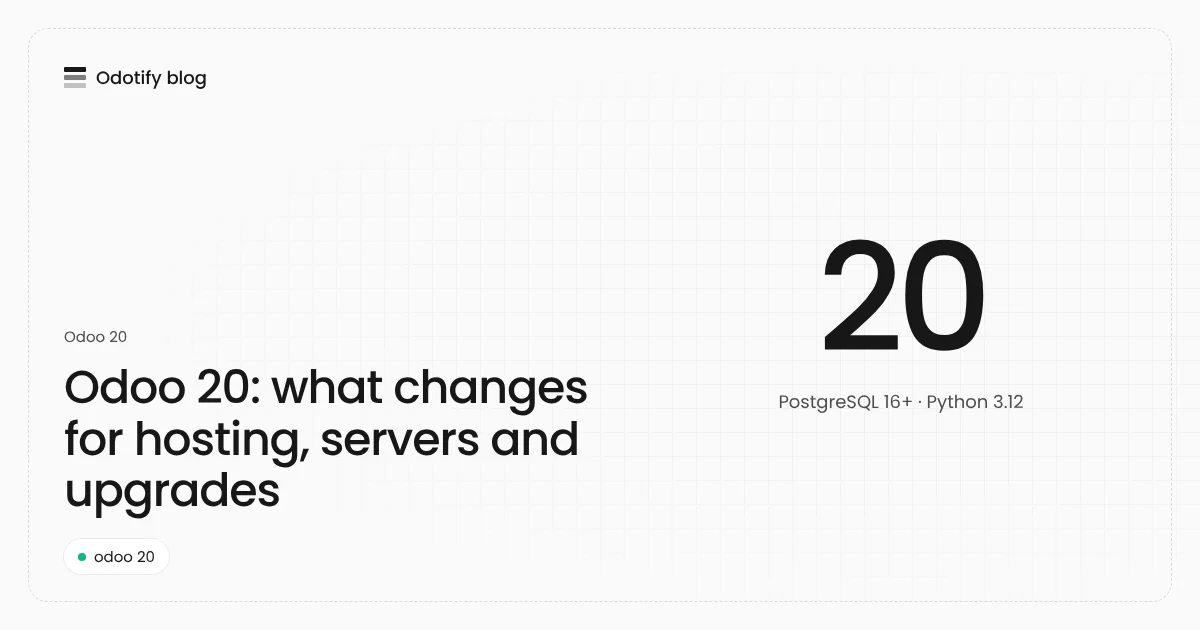
| PostgreSQL | 13 or newer | 16 or newer |
| Python | 3.10 or newer | 3.12 (what Odotify's Odoo 20 image uses) |
| Ubuntu | 22.04, 24.04 | 24.04 or later (22.04 ships PostgreSQL 14) |
| Debian | 12, 13 | 13 (Debian 12 ships PostgreSQL 15) |
| Memory | 2 GB minimum, 4 GB or more for production | same |
The PostgreSQL requirement is the one that catches people out. Odotify's control plane refuses to put an Odoo 20 instance, or an upgrade to 20.0, on a server or database cluster that reports an older PostgreSQL, because the failure otherwise appears halfway through an upgrade.
If your server runs Ubuntu 22.04 or Debian 12, you have two options:
- Install PostgreSQL 16 from the PostgreSQL project's own apt repository (apt.postgresql.org) and migrate your databases to it with
pg_dumpandpg_restoreorpg_upgradecluster. - Start a new server on Ubuntu 24.04 or Debian 13, restore your backup there, and switch DNS. This is usually cleaner and gives you a tested restore as a side effect.
Which Odoo versions are still supported?
Odoo supports the three most recent major versions. With Odoo 20 released, the supported set is 18.0, 19.0 and 20.0 under that rule, so Odoo 17 databases are now on the oldest line and should plan their upgrade. Anything on 16.0 or older no longer receives Odoo's security fixes.
Should you upgrade to Odoo 20 now?
| Your situation | Recommendation |
|---|---|
| New Odoo project | Start on Odoo 20, on a server with PostgreSQL 16 |
| On Odoo 19, mostly standard apps | Upgrade a copy now, move in the next few months |
| On Odoo 19 with many third-party modules | Wait until each module publishes a 20.0 version |
| On Odoo 17 or older | Plan the upgrade now: you are losing support |
| Odoo Community with OpenUpgrade | Check OpenUpgrade's 20.0 coverage first; it arrives gradually after each release |
How to upgrade to Odoo 20
The safe path is the same as for any major version, covered step by step in our Odoo upgrade guide:
- Check the server: PostgreSQL 16 or newer, Python 3.12, enough disk for a full copy of the database and filestore.
- Back up the database and the filestore.
- Upgrade a copy: Enterprise through upgrade.odoo.com, Community through OCA OpenUpgrade one major at a time.
- Port custom modules to 20.0 and test them with real users on the copy.
- Upgrade production with the same steps, keeping the old version and backup ready.
Running Odoo 20 on Odotify
Odotify supports Odoo 17, 18, 19 and 20, Community and Enterprise, on any server you own. The version is chosen per instance, so one server can run an Odoo 19 production next to an Odoo 20 test copy. Odotify checks the server's PostgreSQL before it installs or upgrades to 20.0, makes the neutralized staging copy for you, and rolls back if the production upgrade fails its checks. It is free for one server: see pricing.
FAQ
Is Odoo 20 stable enough for production?
Odoo offers a new major version for new production databases once it is released. For self-hosted databases with custom code, most teams wait until their third-party modules are released for 20.0 and run a full test on a copy first.
Does Odoo 20 run on Ubuntu 22.04?
Not with Ubuntu's own PostgreSQL 14. You need PostgreSQL 16 or newer, either from the PostgreSQL apt repository or by moving to Ubuntu 24.04 or later.
Does Odoo 20 work with PostgreSQL 15?
No. Odoo 20 needs PostgreSQL 16 or newer, so Debian 12's default PostgreSQL 15 is not enough.
Can I upgrade directly from Odoo 17 to Odoo 20?
With Odoo Enterprise, upgrade.odoo.com can take a database across several versions in one request. With Odoo Community and OpenUpgrade you go one major at a time: 17 to 18, 18 to 19, then 19 to 20.
Is Odoo 20 Community available?
Yes. Odoo 20 Community is free software, published in the 20.0 branch of odoo/odoo, and it runs on your own server like earlier versions.
Sources
- Odoo source code, branch 20.0: https://github.com/odoo/odoo/tree/20.0
- Odoo documentation, supported versions: https://www.odoo.com/documentation/19.0/administration/supported_versions.html
- PostgreSQL apt repository: https://wiki.postgresql.org/wiki/Apt

Odotify team
Odotify hosts Odoo on servers its customers own. This article was researched against live search results and the Odotify codebase.