Odoo migration: move to Odoo, between versions or hosts
Odotify team · Published · 6 min read
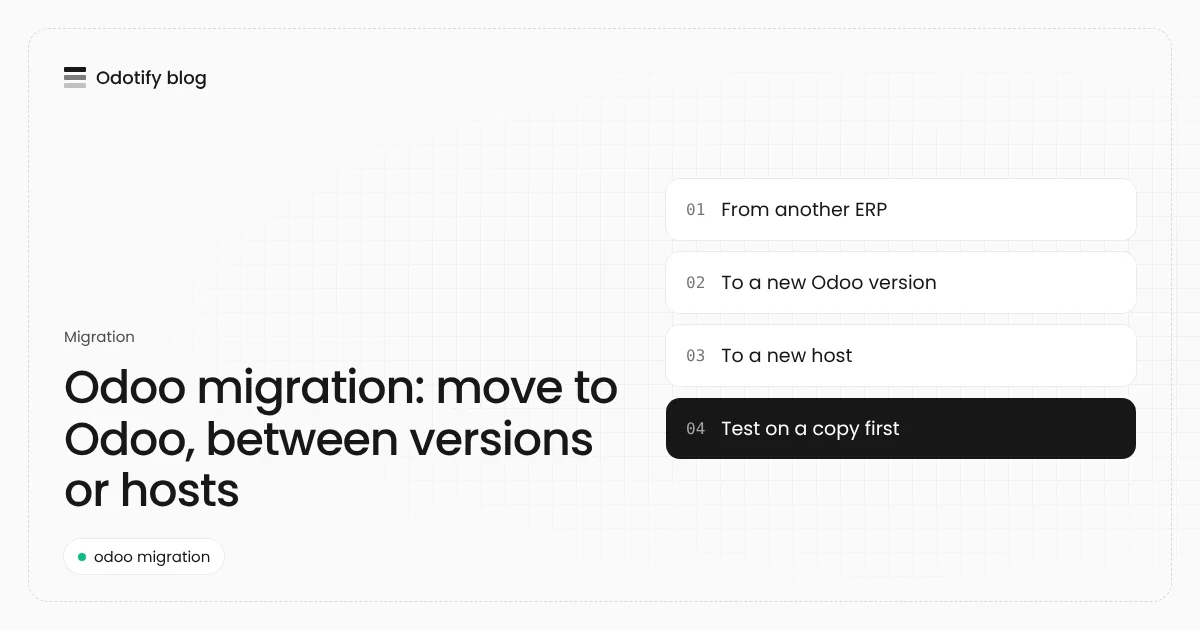
People search "Odoo migration" for three different projects: bringing data into Odoo from another system, moving to a new Odoo version, or moving an Odoo database to a new host. They use different tools and carry different risks. This guide explains each one, the steps that work, and how to avoid losing data or weeks of time.
Which Odoo migration do you need?
| You want to | What it really is | Main tool | Typical risk |
|---|---|---|---|
| Move from QuickBooks, Sage, Excel or another ERP to Odoo | A data import | Odoo's import (CSV, XLSX) | Broken links between records, wrong opening balances |
| Move from Odoo 17 or 18 to Odoo 19 or 20 | A database upgrade | upgrade.odoo.com (Enterprise), OpenUpgrade (Community) | Custom modules that no longer work |
| Move from Odoo.sh, Odoo Online or one server to another | A backup and restore | Odoo's backup ZIP (database + filestore) | Missing attachments, version mismatch |
Many projects combine them. A company leaving Odoo Online for its own server might move host first on the same version, then upgrade on the new server once things are stable. Do one change at a time: if something breaks, you know which step did it.
How do I migrate data from another system into Odoo?
Odoo imports data from Excel (.xlsx) or CSV files through the Import action in each list view. Odoo's documentation recommends these practices:
- Start from Odoo's import templates. Templates exist for common data such as contacts, products and bank statements, with the column mapping already set.
- Give every record an External ID, built from the old system's own identifier with a prefix for its table, such as
company_1orperson_1. Odoo uses it to update a record on a second import instead of creating a duplicate. - Link records by External ID. Relation columns such as
Related Company/External IDrecreate the links between tables during the import. - Import parents before children: companies before the people who work for them, products before price lists, customers before invoices.
- Press Test before Import. Odoo checks the file first. An import cannot be undone, so test on a copy of the database.
- Split large files into batches to avoid timeouts.
What to migrate, and what to leave behind
Master data almost always comes across: customers, suppliers, products, chart of accounts, open sales and purchase orders, stock levels. For accounting, most teams import opening balances at a cut-off date and keep the old system read-only for history, rather than re-creating years of journal entries. Agree this with your accountant before you start: it decides how much data work the project needs.
Steps to migrate to Odoo from another ERP
- Freeze the scope: list which objects move (contacts, products, open orders, balances) and which stay in the archive.
- Export from the old system: one file per table, keeping each record's original ID.
- Clean the data: remove duplicates, fix missing tax IDs, units and addresses. This step takes the most time.
- Build the import files: start from Odoo's templates, add External IDs and relation columns.
- Import into a test database in dependency order, pressing Test first each time.
- Check with the people who use it: customer balances, stock quantities and a few invoices from start to finish.
- Cut over: stop work in the old system, export the final delta, import it into production, and post opening balances at the cut-off date.
How do I migrate Odoo to a new version?
This is a database upgrade, and changing the code alone does not do it. Each major version changes the data model, so the database must be transformed:
- Enterprise: Odoo's upgrade service at upgrade.odoo.com. You send a test request first, which creates a new upgraded database to try; a production request then replaces your production database and should follow within 3 days of the test. On a self-hosted server it runs from the command line with
python <(curl -s https://upgrade.odoo.com/upgrade) test -d <db> -t <version>. - Community: OpenUpgrade, the open-source upgrade path maintained by the Odoo Community Association (AGPL-3.0). It is loaded as a server-wide module during the upgrade and carries migration scripts for Odoo's own modules.
- Custom modules have to be ported to the new version in both cases.
Our Odoo upgrade guide covers the full procedure, timing and cost, and Odoo 20 for hosting lists what the newest version needs from your server.
How do I migrate Odoo to a new host?
Moving between Odoo.sh, Odoo Online, a partner's server or your own machine is a backup and restore:
- Take a backup in ZIP format. Odoo's ZIP backup contains the database (
dump.sql), amanifest.jsonand thefilestore/with every attachment. A plain SQL dump without the filestore loses invoices' PDFs and product images. - Restore it on the same Odoo version on the new host. Restoring an Odoo 18 backup on Odoo 19 does not upgrade it; upgrade separately.
- Neutralize test restores. Restoring with neutralization disables scheduled actions and outgoing integrations, so a copy does not email customers or charge cards.
- Bring the custom code: the same addons, from Git or a module upload, at the same versions.
- Switch the domain once the new instance is checked, and keep the old one read-only for a few days.
Leaving Odoo Online or Odoo.sh for your own server? Both run Enterprise only, so keep an Enterprise subscription (Custom plan) if you use Enterprise apps, or plan the move to Community carefully. Our Odoo on-premise guide explains the trade-offs.
Common Odoo migration mistakes
- Doing everything at once: new host, new version and new modules in one weekend. When it fails, nobody knows why.
- Forgetting the filestore: the database restores fine, and every attachment is missing.
- Restoring a copy without neutralizing it: a test database that sends real emails and runs real payments.
- Importing without External IDs: the second import creates duplicates instead of updating.
- Skipping user testing: the technical migration works, and the warehouse finds the problem on Monday.
Migrating to Odotify
If the destination is your own server, Odotify handles the host move: upload a backup from Odoo.sh, Odoo Online or another server, and Odotify detects the Odoo version and edition, then restores the database and filestore into a new instance on any server you choose. Before an Enterprise database starts, it tells you if the version or edition does not match. Community upgrades run with OpenUpgrade on a staging copy first. Plans start free, then US$19, US$39 or US$199 a month; see pricing or the Odoo.sh alternative page for the move from Odoo.sh.
FAQ
How do I migrate data in Odoo?
Export each table from your old system to CSV or Excel, map the columns with Odoo's import templates, give each record an External ID, import parents before children, and press Test before Import. Do it on a test database first.
How long does an Odoo migration take?
A host move on the same version takes hours. A version upgrade of a database with few custom modules takes days of technical work and one to three weeks of testing. A migration from another ERP usually takes weeks, mostly for data cleaning and user checks.
Can I migrate from Odoo Community to Enterprise?
Yes. The data stays in the same database and Enterprise modules install on top, once you have an Enterprise subscription. Take a backup first so you can roll back.
Does Odoo migrate my data from QuickBooks or Sage automatically?
Not by itself. Odoo's documentation describes migrating from other software with its import tool: you export each table from the old system, keep the old IDs as External IDs, and import the files in order.
Do I need to upgrade before moving to a new host?
No, and it is safer not to. Move first on the same Odoo version, check everything, then upgrade on the new host as a separate step.
Sources
- Odoo documentation, export and import data: https://raw.githubusercontent.com/odoo/documentation/19.0/content/applications/essentials/export_import_data.rst
- Odoo Upgrade service: https://upgrade.odoo.com/
- OCA OpenUpgrade: https://github.com/OCA/OpenUpgrade
- Odoo backup and restore with
odoo-bin db(Linuxize): https://linuxize.com/post/how-to-setup-automatic-odoo-backup/

Odotify team
Odotify hosts Odoo on servers its customers own. This article was researched against live search results and the Odotify codebase.