Odoo database manager: access, master password, and lock it down
Odotify team · Published · 6 min read
This guide is for people who run Odoo themselves, or are about to, and need to understand the database manager: how to open it, what each button does, what the master password protects, and how to host several databases safely on one server. By the end you will know when to use the manager, when to turn it off, and what to use instead. Facts come from Odoo's 20.0 deployment documentation and the Odoo 20.0 source code, checked on 24 November 2026.
What is the Odoo database manager?
A built-in web page that manages the PostgreSQL databases an Odoo server can see. It ships in the web module of every Odoo installation, Community and Enterprise. In the Odoo 20.0 source code, the controller in addons/web/controllers/database.py exposes these routes:
| Route | What it does |
|---|---|
/web/database/manager | The management screen |
/web/database/selector | The database chooser shown at login when several exist |
/web/database/create | Create a database (language, country, admin login, optional demo data) |
/web/database/duplicate | Copy a database, with an option to neutralize the copy |
/web/database/drop | Delete a database |
/web/database/rename | Rename a database |
/web/database/backup | Download a backup as .zip (with filestore) or a .dump |
/web/database/restore | Restore an uploaded backup, as a copy or as-is |
/web/database/change_password | Change the master password |
Every action except listing asks for the master password.
How do I access the Odoo database manager?
Open https://your-domain/web/database/manager, or http://localhost:8069/web/database/manager on a local install. The login screen also shows a Manage Databases link when database listing is enabled. If the page says the database manager has been disabled, the server runs with list_db = False, which is the recommended production setting.
On Odoo Online there is no /web/database/manager. Odoo's 20.0 documentation says to manage an Odoo Online database from https://www.odoo.com/my/databases, signed in as the database administrator. That page handles domain names, tags, hiding and other account-level actions.
What is the master password?
The admin_passwd value in the Odoo configuration file, checked before any database is created, copied, deleted, dumped or restored. Odoo's documentation says it can only be set in the configuration file, and should be a long random value.
Two details from the source code are worth knowing:
- The built-in default is literally
admin. Ifadmin_passwdis stilladmin, the first master password someone types in the manager becomes the new one and is saved to the config file. Odoo's documentation warns that a new on-premise installation is open to anyone on the internet until the master password is set. - When the password is saved from the manager, it is stored as a
$pbkdf2-sha…hash, which is whyodoo.confusually shows a hash rather than plain text.
Generate a strong value with the command Odoo suggests:
python3 -c 'import base64, os; print(base64.b64encode(os.urandom(24)))'How to reset a lost master password
Odoo's documented process: open odoo.conf (package installs use /etc/odoo.conf, source installs ~/.odoorc), replace the admin_passwd = $pbkdf2-sha… line with a temporary plain value, restart Odoo, then set a new password from the manager's Set Master Password dialog so it is hashed again.
Should the database manager be enabled in production?
No. Odoo's 20.0 deployment guide is explicit: "It is strongly recommended to disable the Database Manager for any internet-facing system! It is meant as a development/demo tool". The same section says it may expose dangerous features to attackers and is not designed to handle large databases, so a backup of a big database through the browser can hit memory limits. Production database operations, including new databases and automated backups, should be done by the system administrator.
A reachable /web/database/manager tells anyone which databases exist and offers create, drop and restore forms guarded by a single password. Our Odoo security checklist puts turning it off near the top.
How to disable the Odoo database manager
Set list_db = False, after telling Odoo which database to serve. Odoo needs to pick the database without asking the user, otherwise people get stuck at a selector they are no longer allowed to see. A single-database server needs two lines:
[options]
db_name = production
list_db = False
admin_passwd = <long random value>
list_db = False is the same as starting Odoo with --no-database-list. It blocks database listing and all the management screens at once.
If you want the manager available only from your office or VPN, Odoo's guide suggests the other route: keep it enabled and block every path starting with /web/database at the reverse proxy, except possibly /web/database/selector. For Nginx that is one location block that denies all but your addresses; see our Odoo Nginx reverse proxy guide.
How to run multiple Odoo databases on one server
Use dbfilter so each hostname maps to exactly one database. Odoo is multi-tenant: one Odoo process can serve many databases. Logged-in users can choose a database at login, but website visitors and portal users are not bound to one, so Odoo needs a rule. The 20.0 documentation says that for servers hosting multiple databases in production, especially with the Website app, dbfilter must be set or several features will not work correctly.
dbfilter is a regular expression with two placeholders:
%his the full hostname of the request;%dis the first part of the hostname after an optionalwww.
| Goal | Setting | Result |
|---|---|---|
| One database per subdomain | dbfilter = ^%d$ | acme.example.com opens database acme |
| One database per full hostname | dbfilter = ^%h$ | database named like the domain |
| Only databases with a prefix | dbfilter = ^mycompany.*$ | hides everything else |
| A fixed list | db_name = db1,db2 | Odoo only considers these |
With ^%d$, Odoo's example notes that a request to www.mycompany.com or mycompany.co.uk finds database mycompany, while www2.mycompany.com or helpdesk.mycompany.com does not. Once each hostname matches one database, set list_db = False as above. Behind a proxy, also set proxy_mode = True so Odoo sees the real hostname.
A shared Odoo process for many databases saves memory but shares workers, add-ons and Odoo version between them, and one heavy database slows the others. For different customers or different Odoo versions, separate instances are easier to upgrade and restore one at a time.
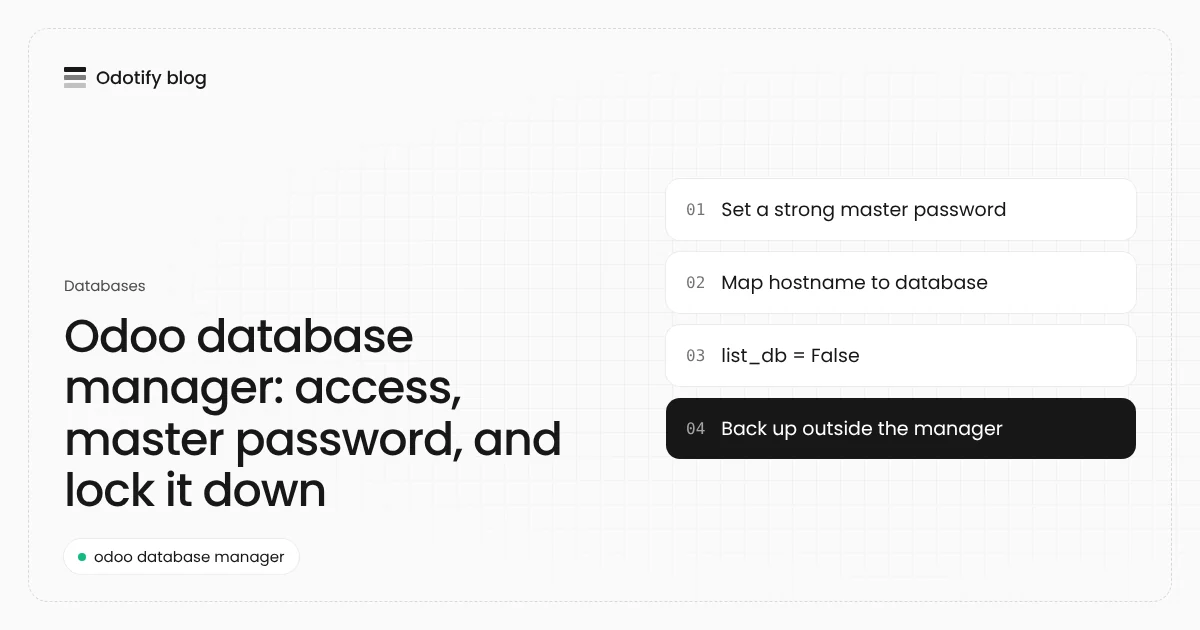
Steps to lock down the database manager
- Set
admin_passwdto a long random value inodoo.conf, neveradmin. - Decide which database each hostname serves:
db_namefor one,dbfilterfor several. - Set
proxy_mode = Trueif Odoo runs behind Nginx, Caddy or another proxy. - Set
list_db = Falseand restart Odoo. - Check that
/web/database/managernow reports the manager as disabled, and that users and the website still land on the right database. - Make sure the PostgreSQL user Odoo connects with is not a superuser, as Odoo's guide requires.
- Replace manager backups with scheduled
pg_dumpplus filestore copies stored off the server; our Odoo backup and restore guide shows the commands.
How Odotify handles the database manager
Odotify is our product, a control panel that runs Odoo 17 to 20 on your own server. Each Odoo instance runs in its own container with one database, and the agent writes its odoo.conf with db_name and a matching dbfilter, list_db = False, and a random master password. Backups, restores, staging copies and deletes happen from the Odotify dashboard, with backups stored off the server, so nobody needs the database manager in production. Plans start at $0 a month; see pricing and self-hosted Odoo.
FAQ
What is the URL of the Odoo database manager?
/web/database/manager on your Odoo domain, for example http://localhost:8069/web/database/manager locally. For Odoo Online databases, use https://www.odoo.com/my/databases.
What is the default master password in Odoo?
The built-in default of admin_passwd in the source code is admin, and while it is still admin, the first master password entered in the manager replaces it. Odoo's documentation says new on-premise databases get a random master password; check odoo.conf and set your own long random value either way.
How do I hide the database list in Odoo?
Set list_db = False in odoo.conf or start Odoo with --no-database-list. Set db_name or dbfilter first so Odoo can pick the database on its own.
Can I back up a large database with the database manager?
Odoo advises against it: the manager is not designed for large databases and may trigger memory limits. Use pg_dump and a copy of the filestore from the server instead, on a schedule.
Why does my Odoo website show the wrong database?
With several databases and no dbfilter, Odoo cannot know which one a visitor wants. Set dbfilter = ^%d$ or ^%h$ so each hostname matches exactly one database, and enable proxy_mode behind a proxy.
Sources
- Odoo 20.0 documentation, system configuration (dbfilter, PostgreSQL, security, database manager security, master password reset): https://raw.githubusercontent.com/odoo/documentation/20.0/content/administration/on_premise/deploy.rst
- Odoo 20.0 documentation, Odoo Online database manager: https://raw.githubusercontent.com/odoo/documentation/20.0/content/administration/odoo_online.rst
- Odoo 20.0 source code, database manager controller: https://github.com/odoo/odoo/blob/20.0/addons/web/controllers/database.py
- Odoo 20.0 source code, configuration options (
admin_passwd,--db-filter,--no-database-list): https://github.com/odoo/odoo/blob/20.0/odoo/tools/config.py

Odotify team
Odotify hosts Odoo on servers its customers own. This article was researched against live search results and the Odotify codebase.