Odoo Enterprise hosting: Online, Odoo.sh or your own server
Odotify team · Published · 7 min read
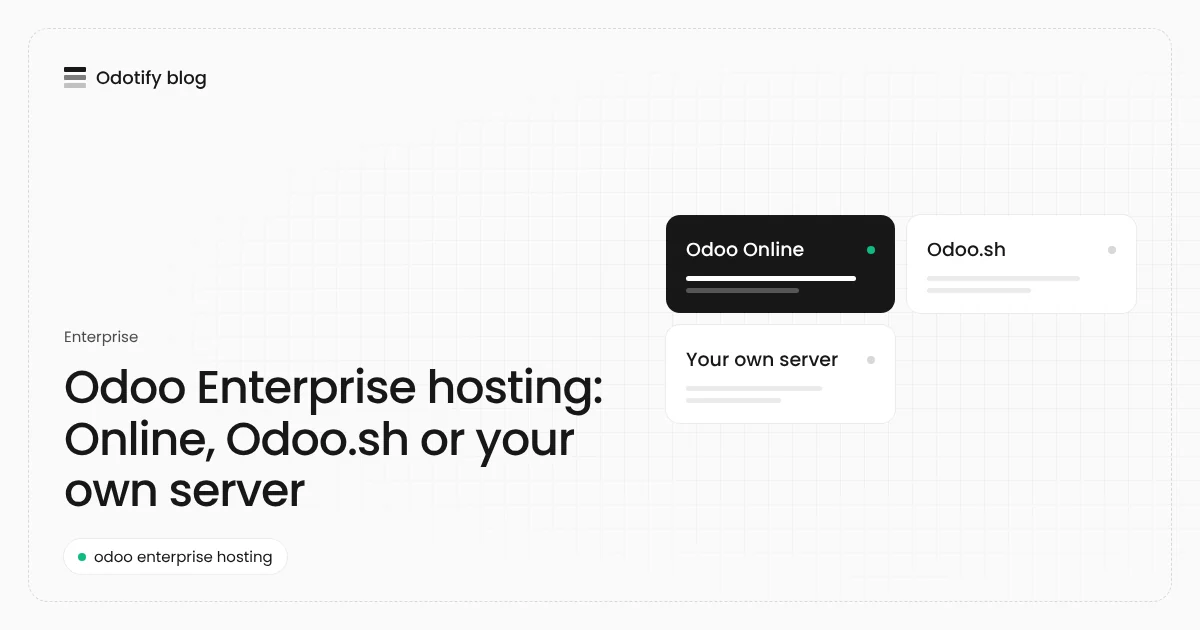
Odoo Enterprise is the same software wherever it runs; Odoo's pricing page says so in as many words: Odoo Online and Odoo Enterprise on-premise or on Odoo.sh "is the same software. Only the hosting and infrastructure are different." What changes is the plan you pay for, who runs the server, and what you are allowed to install. This guide compares the three ways to host Odoo Enterprise, then walks through running Enterprise on your own server: licence, download, registration, firewall rules, upgrades and support. Sources are Odoo's pricing page and 19.0 documentation, read on 22 November 2026.
Where can you host Odoo Enterprise?
You can host Odoo Enterprise on Odoo Online (Odoo's SaaS), on Odoo.sh (Odoo's platform for custom code), or yourself, on a server in your office or rented from a cloud provider. The licence plan decides which of these you may use.
| Odoo Online | Odoo.sh | Your own server | |
|---|---|---|---|
| Plan needed | Standard or Custom | Custom | Custom |
| Hosting cost | Included in the licence | Odoo.sh fees on top (workers, storage, staging) | Your server, billed by your provider |
| Custom modules | No (Studio only) | Yes, from GitHub | Yes |
| Root access | No | No | Yes |
| Choice of country and provider | Odoo's data centers | Odoo's data centers | Any |
| Who runs it | Odoo | Odoo (platform), you (code) | You, or a hosting manager |
Odoo's pricing FAQ is clear on the split: the Standard plan "is hosted on Odoo Online", and with the Custom plan "you can host on Odoo Online at no extra cost, or one of these two options: Download Odoo Enterprise and host it yourself; Host on Odoo.sh". The pricing page also notes that hosting on Odoo.sh for custom developments is not included in the licence, while Odoo Online hosting is free with unmetered storage up to 100 GB.
For licence prices per user and a cost calculator, see our Odoo pricing guide. For Odoo.sh's own fees, see Odoo.sh pricing.
Which Odoo Enterprise hosting should you choose?
- Odoo Online if you use standard apps, maybe with Studio, and want nothing to run. It is the cheapest Enterprise hosting because hosting is included.
- Odoo.sh if you have custom modules, want Odoo to run the platform, and accept per-worker billing and Odoo's data center locations.
- Your own server if you need custom modules plus control: a specific country or provider, root access, direct database access for reporting, fixed server costs, or several databases on one server. It is the option this article focuses on.
A common path is Online first, then self-hosted or Odoo.sh once custom modules arrive. Since the software is the same, a database moves between them as a backup.
Can you self-host Odoo Enterprise?
Yes. Odoo Enterprise runs on your own server with a subscription on the Custom plan. You install the Enterprise code next to Odoo Community, connect your database to your subscription, and keep the server running yourself.
How do you get the Odoo Enterprise code?
Odoo's documentation lists two sources for the Enterprise edition: the Odoo download page (a .deb for Ubuntu 24.04, an .rpm for Fedora and a Windows installer, which Odoo discourages for production) and the Odoo Enterprise GitHub repository. To download the packages, Odoo's documentation says "it is required to be logged in as a paying on-premise customer or partner". There is no nightly apt repository for Enterprise, so you download and install each new Enterprise package yourself.
How do you register a self-hosted Enterprise database?
Enter your subscription code in the banner on the app dashboard. When it works, the banner turns green and shows the expiration date, which you also find at the bottom of Settings. Three rules from Odoo's on-premise documentation are worth knowing before you go live:
- One database per subscription. Only one database can be linked to a subscription code. For a test or development database, Odoo points you to a neutralized duplicate rather than a second registration. See Odoo staging environment.
- The server must reach Odoo. The weekly update notification checks the subscription, so the server must open outgoing connections to
services.odoo.comon port 80 (Odoo 18 and later;services.openerp.comfor 17 and earlier). If port 80 is blocked, open 443 and setpublisher_warranty_url = https://services.odoo.com/publisher-warranty/in the Odoo configuration file. - User count is checked. If the database has more users than the subscription covers, you get 30 days to add users to the subscription or deactivate some. After that the database expires until you renew.
Can you switch an existing Community database to Enterprise?
Yes. Odoo's documented procedure: back up the Community database, stop Odoo, install the Enterprise package (on Debian/Ubuntu, dpkg -i installs it over the Community package) or add the Enterprise addons to --addons-path, then run odoo-bin -d <database> -i web_enterprise --stop-after-init. Start Odoo again and enter your subscription code.
What server does Odoo Enterprise need?
The same server as Community. The Enterprise code adds apps, not a different engine. The minimums come from Odoo's source code: Odoo 19 needs Python 3.10 to 3.14 and PostgreSQL 13 or newer; Odoo 20 needs Python 3.12 to 3.14 and PostgreSQL 16 or newer. A 2 vCPU, 4 GB server with Ubuntu 24.04 is enough to start for a small company; our best VPS for Odoo guide has sizes and prices per user count, and Odoo server requirements the details.
Some Enterprise apps call Odoo's online services (IAP), such as SMS, document digitization and, in Odoo 20, the AI app. Those need outgoing HTTPS from the server and are billed in credits on top of the licence; see Odoo AI.
How do upgrades and support work for self-hosted Enterprise?
Upgrades are included. Odoo's upgrade documentation states that with Odoo Enterprise, upgrading a database to the most recent version is free, including support to fix discrepancies in the upgraded database. You request a test upgrade with Odoo's script (python <(curl -s https://upgrade.odoo.com/upgrade) test -d <db> -t <version>), check the result on a staging server, then run the production upgrade the same way. Custom modules are your responsibility to port. Our Odoo upgrade guide walks through it.
Support follows the version. Each major version gets three years of standard support, with security updates, on Odoo Online, Odoo.sh and on-premise. After that, extended support costs extra and is available on Odoo.sh for a limited number of versions and on-premise for any version. As listed on 22 November 2026, Odoo 17.0 reached the end of standard support in September 2026, Odoo 18.0 is planned to end in September 2027 and Odoo 19.0 in September 2028.
You can stay put on-premise. Odoo Online forces upgrades on a schedule; on-premise, Odoo's documentation says "you can stay on the same version indefinitely, even if it is not recommended".
Steps to host Odoo Enterprise on your own server
- Check that your Odoo subscription is on the Custom plan.
- Create a server (2 vCPU, 4 GB or more) with Ubuntu 24.04, the release Odoo's
.debpackage supports, and PostgreSQL 16. - Download the Enterprise package for your Odoo version while logged in to your Odoo account, and install it.
- Configure
odoo.conf: workers,proxy_mode,list_db = False, andpublisher_warranty_urlif only port 443 is open. - Put nginx or Caddy in front with a TLS certificate.
- Create or restore your database, then enter the subscription code in the dashboard banner.
- Allow outgoing connections to
services.odoo.com, schedule off-server backups, and set up a neutralized staging copy for testing.
Odoo Enterprise on your server with Odotify
Odotify is our product. It runs Odoo Enterprise on a server you own, at Hetzner, DigitalOcean, AWS, Google Cloud, Azure, Vultr, Akamai or any Linux server reachable over SSH. You upload the Enterprise package from your Odoo subscription once (.deb or source archive per Odoo major version), and every instance you switch to Enterprise uses it; Community works out of the box. Odotify handles TLS, backups to object storage, monitoring, staging copies and the push from staging to production, and imports Enterprise backups from Odoo Online or Odoo.sh. Your Odoo subscription stays with Odoo; Odotify is a flat fee from $0 to $199 a month. See pricing, and the comparison with Odoo's platform on the Odoo.sh alternative page.
FAQ
Can I host Odoo Enterprise myself?
Yes, on the Custom plan. Odoo's pricing page says the Custom plan lets you download Odoo Enterprise and host it yourself, or host it on Odoo.sh. The Standard plan is limited to Odoo Online.
Is Odoo Enterprise hosting included in the licence?
Only on Odoo Online, which is free with unmetered storage up to 100 GB according to Odoo's pricing page. Odoo.sh is billed separately, and on your own server you pay your provider for the server.
How many databases can one Enterprise subscription use?
One. Odoo's on-premise documentation states that only one database can be linked per subscription code. Test and development databases should be neutralized duplicates.
Does self-hosted Odoo Enterprise need internet access?
Yes, outgoing. The server must reach services.odoo.com (port 80, or 443 with publisher_warranty_url set) for the weekly subscription check, and IAP services such as SMS or AI need HTTPS to Odoo.
What is the difference between Odoo Enterprise and Community hosting?
The server and setup are the same. Enterprise adds the Enterprise addons, a subscription code to register, the subscription check, and free upgrades through Odoo's upgrade service. See Odoo Community vs Enterprise.
Sources
- Odoo pricing, plans and FAQ (Standard, Custom, On-premise / Odoo.sh): https://www.odoo.com/pricing
- Odoo 19.0 documentation, on-premise (registration, one database per subscription, services.odoo.com, too many users): https://raw.githubusercontent.com/odoo/documentation/19.0/content/administration/on_premise.rst
- Odoo 19.0 documentation, packages (Enterprise download): https://raw.githubusercontent.com/odoo/documentation/19.0/content/administration/on_premise/packages.rst
- Odoo 19.0 documentation, source install (Enterprise sources): https://raw.githubusercontent.com/odoo/documentation/19.0/content/administration/on_premise/source.rst
- Odoo 19.0 documentation, switch from Community to Enterprise: https://raw.githubusercontent.com/odoo/documentation/19.0/content/administration/on_premise/community_to_enterprise.rst
- Odoo 19.0 documentation, upgrade: https://raw.githubusercontent.com/odoo/documentation/19.0/content/administration/upgrade.rst
- Odoo 19.0 documentation, standard and extended support: https://raw.githubusercontent.com/odoo/documentation/19.0/content/administration/standard_extended_support.rst
- Odoo source, version requirements: https://raw.githubusercontent.com/odoo/odoo/19.0/odoo/release.py, https://raw.githubusercontent.com/odoo/odoo/20.0/odoo/release.py

Odotify team
Odotify hosts Odoo on servers its customers own. This article was researched against live search results and the Odotify codebase.